
About Neon Gem Rush
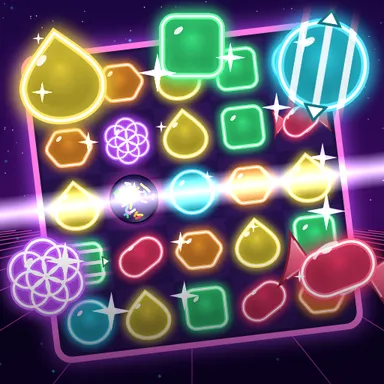
Neon Gem Rush is a sixty-second score attack set under a synthwave sky. Glowing glass gems in six electric colours fill an eight by eight grid and the clock starts ticking the moment you make your first swap. There are no level goals and no move limit, only speed and greed. Chain matches as fast as your fingers allow, because every cascade multiplies the points of the next wave and every power gem you forge adds a precious extra second. Some gems carry a little +5 clock badge; pop them and the timer jumps up, keeping long runs alive. Line up four for a striped laser gem, shape an L or T for a gem that explodes twice and five in a row for a disco orb that clears an entire colour. When the time runs out, every special still left on the board goes off in a final light show and all of it counts. Hints appear after a few idle seconds, so you never stall. Your best score is kept between sessions, which turns every round into a rematch against yesterday. It is the quick, intense side of match-three: one more minute, one more try.
How to play
Swap neighbouring gems by dragging or tapping. Make lines of 3 or more before the 60-second timer runs out. Clock gems add 5 seconds, power gems add 1 second. Keyboard: arrows and Space.
Controls
| Drag | Move |
| Click / Tap | Select |
| Arrow keysSpace | Move |
📺 Play on a TV or projector
- Laptop or PC: connect it to the TV or projector with an HDMI cable (or cast the Chrome tab / mirror your screen), then press the fullscreen button.
- Android TV, Google TV or a TV box: open this site in a browser app on the TV (any Chromium-based TV browser works) and pick a game with the remote's arrows and OK.
- Gamepad: pair a Bluetooth controller (Xbox, PlayStation or a generic one) or plug in a USB one. Stick or D-pad moves, Ⓐ/✕ jumps and selects, Start pauses, View/Select switches fullscreen. In point-and-click games the right stick moves a pointer and RT clicks.
- Phone or tablet: mirror or cast your screen to the TV, or open the site in the TV's own browser.
Difficulty: ★★★☆☆ · Released: 2026-10-08