
About Wiggle Dojo Cup
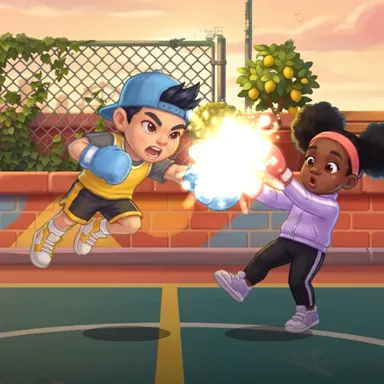
Wiggle Dojo Cup is a foam-glove sparring game you play with your whole body. It is the website version of the fighter in the Wiggle Move app, and web players spar online in the very same rooms as app players. Pick one of eight fighters, from quick little Kiko the red panda to big Bruno the bear, each with their own size, reach, speed and four signature moves. Stand back from the camera so it sees all of you: punch with either hand, kick with either leg, squat with one leg out to sweep, raise your forearms to block, duck under high kicks and step toward the screen to get in reach. When your rival glows and a cue pops up, do what it says, then hit back while they wobble. Fill the three-bar meter for the uppercut, the whirlwind kick and your own special shot, and with all three bars raise both arms and slam them down for the ultimate with its big cut-in. Jump in, land a hit and keep going for a combo finisher. Fight a single match against any opponent, climb the seven-fight arcade ladder to the champion, or face a friend on one camera. No camera? Keys, a gamepad or the touch stick work too. The camera picture never leaves your device.
How to play
Choose Play with my body and stand 2–3 m from the screen with your whole body in view. Punch with either hand, kick with either leg, squat with one leg out to the side to sweep. Forearms up to block, squat to duck, jump to jump; step toward the screen to get in reach and away to escape. When your rival glows, do what the cue says, then counter. One bar: hands together at your hip, then push (special shot); squat and rise with one fist up (uppercut); arms out wide, then swing (whirlwind). All three bars: both arms up, then slam them down (ultimate). Keys: J / K punch, H dash, I kick, M sweep, L block, S duck, W jump, A / D step, U uppercut, Y whirlwind, O shot, N ultimate. Online: Quick match, Create room or Join on the game page.
Controls
| JK | Punch |
| I | Kick |
| L | Block |
| S | Duck |
| W | Jump |
| AD | Move |
| H | Dash |
| OUYN | Special move |
📺 Play on a TV or projector
- Laptop or PC: connect it to the TV or projector with an HDMI cable (or cast the Chrome tab / mirror your screen), then press the fullscreen button.
- Android TV, Google TV or a TV box: open this site in a browser app on the TV (any Chromium-based TV browser works) and pick a game with the remote's arrows and OK.
- Gamepad: pair a Bluetooth controller (Xbox, PlayStation or a generic one) or plug in a USB one. Stick or D-pad moves, Ⓐ/✕ jumps and selects, Start pauses, View/Select switches fullscreen. In point-and-click games the right stick moves a pointer and RT clicks.
- Phone or tablet: mirror or cast your screen to the TV, or open the site in the TV's own browser.
Difficulty: ★★☆☆☆ · Released: 2026-10-25