
About Punch Beat Workout
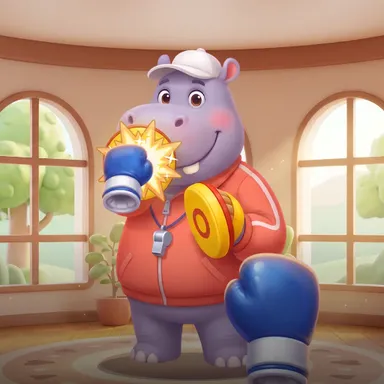
Punch Beat Workout is a sunny boxing gym where the music tells you when to hit. Coach Happy, a cheerful hippo in a red track jacket, holds up two bright yellow focus mitts, and on every beat one of them pops up with a sign on it: JAB, CROSS, HOOK or UPPER, with a little L or R for the hand to use. A ring shrinks around the pad, and the moment it closes is the moment to punch. Land it right on the beat for PERFECT, a touch early or late for GOOD; throw the wrong kind of punch and the coach shows you the one he wanted. Between the punches he swings a pad over your head, so duck under it, or jabs at you, so slip to the side. Hits in a row build a combo that multiplies your points, up to two and a half times. The two-minute workout starts with easy jabs, mixes in one-two combinations, hooks and uppercuts, and finishes with a speed bag where every punch you throw counts. A lane at the bottom shows what is coming next, and the side panel counts your punches, punches per minute and the estimated calories you burned. Play it with the camera, which sees only your punches and keeps the picture on your device, or with keys, touch buttons or a gamepad, and try to beat your best score on the weekly board.
How to play
Choose Play with my body, stand where the camera sees your head, shoulders and both hands, and keep your fists up. When a pad lights up, throw the punch written on it with the hand on its badge (L or R) right as the ring closes. Duck when a pad sweeps over your head, lean to slip when the coach jabs at you. In the speed bag finale, punch as fast as you can. Keys: J jab, K cross, U and I hooks, N uppercut, A and D slip, X duck.
Controls
| JK | Punch |
| UIN | Special move |
| S | Block |
| AD | Lean / balance |
| X | Duck |
📺 Play on a TV or projector
- Laptop or PC: connect it to the TV or projector with an HDMI cable (or cast the Chrome tab / mirror your screen), then press the fullscreen button.
- Android TV, Google TV or a TV box: open this site in a browser app on the TV (any Chromium-based TV browser works) and pick a game with the remote's arrows and OK.
- Gamepad: pair a Bluetooth controller (Xbox, PlayStation or a generic one) or plug in a USB one. Stick or D-pad moves, Ⓐ/✕ jumps and selects, Start pauses, View/Select switches fullscreen. In point-and-click games the right stick moves a pointer and RT clicks.
- Phone or tablet: mirror or cast your screen to the TV, or open the site in the TV's own browser.
Difficulty: ★★☆☆☆ · Released: 2026-10-10