
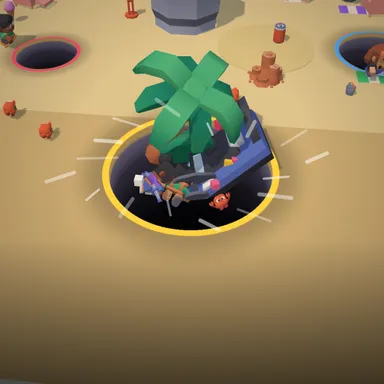
About Beach Buffet Hole
Beach Buffet Hole is the relaxed, no-pressure way to play: there is no timer, no rival and no way to lose, just a sunny seaside and an appetite that never ends. Begin by slurping up seashells, crabs scuttling along the waterline, buckets, beach balls and the occasional startled seagull. Sunbathers on their towels and striped umbrellas follow, then palm trees, kayaks, beach huts and ice cream carts rolling along the boardwalk. Once you are big enough the lifeguard towers, sailboats, the beach bar, the seafront hotels, the striped lighthouse and even the Ferris wheel tilt over the edge and vanish. When most of the beach has been eaten, a fresh wave of holidaymakers and sandcastles pops back up across the sand, so the feast simply keeps going for as long as you like. A wave counter and your current size sit at the top of the screen, and the Finish button banks your score whenever you decide the buffet is over. It is a great pick for younger players, for a calm break, or for anyone who just enjoys watching things topple into a hole.
How to play
Move with the mouse, WASD / arrow keys, or drag on a phone. Swallow anything smaller than your hole to grow. The beach regrows in waves; press Finish (or F) whenever you want to bank your size.
Controls
| Mouse | Steer |
| W A S DArrow keys | Move |
| Drag | Move |
📺 Play on a TV or projector
- Laptop or PC: connect it to the TV or projector with an HDMI cable (or cast the Chrome tab / mirror your screen), then press the fullscreen button.
- Android TV, Google TV or a TV box: open this site in a browser app on the TV (any Chromium-based TV browser works) and pick a game with the remote's arrows and OK.
- Gamepad: pair a Bluetooth controller (Xbox, PlayStation or a generic one) or plug in a USB one. Stick or D-pad moves, Ⓐ/✕ jumps and selects, Start pauses, View/Select switches fullscreen. In point-and-click games the right stick moves a pointer and RT clicks.
- Phone or tablet: mirror or cast your screen to the TV, or open the site in the TV's own browser.
Difficulty: ★☆☆☆☆ · Released: 2026-10-06