
About Crystal Cave Quest
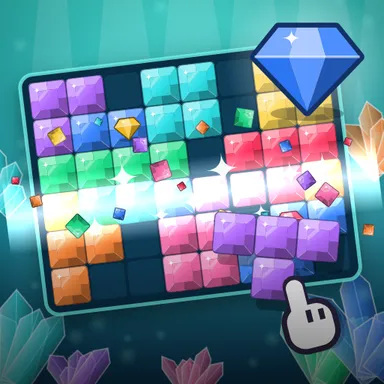
Crystal Cave Quest turns the block puzzle into a thirty-level treasure hunt deep underground. Every cave chamber begins with a pattern of cut-crystal blocks already on the board, and some of those blocks hold precious gems: rubies, sapphires, emeralds, topaz and amethyst. You cannot pick a gem up directly. Instead you drag pieces from your tray to complete the row or the column a gem sits in; when the line bursts, the gem flies up into your goal tracker. Collect every gem before you run out of moves to win the level. The move counter is the real puzzle here. Early caves are generous and teach you to spot near-complete lines, while later chambers pack the board with rubble, scatter gems across sparse rows and give you only a handful of spare placements. Planning two pieces ahead, keeping space for long bars and chaining clears become essential. Finish with moves left over and they convert into bonus points and up to three stars, so there is always a reason to replay a cave and squeeze out a cleaner solution. Light shafts, glowing crystal clusters and a faceted gem art style make every chamber feel like a jewel box waiting to be opened.
How to play
Drag pieces onto the board to complete rows or columns. Clearing a line that holds a gem collects it. Collect every gem before the move counter reaches zero.
Controls
| Drag | Place |
| Click / Tap | Select |
| Arrow keysSpace | Move |
📺 Play on a TV or projector
- Laptop or PC: connect it to the TV or projector with an HDMI cable (or cast the Chrome tab / mirror your screen), then press the fullscreen button.
- Android TV, Google TV or a TV box: open this site in a browser app on the TV (any Chromium-based TV browser works) and pick a game with the remote's arrows and OK.
- Gamepad: pair a Bluetooth controller (Xbox, PlayStation or a generic one) or plug in a USB one. Stick or D-pad moves, Ⓐ/✕ jumps and selects, Start pauses, View/Select switches fullscreen. In point-and-click games the right stick moves a pointer and RT clicks.
- Phone or tablet: mirror or cast your screen to the TV, or open the site in the TV's own browser.
Difficulty: ★★★☆☆ · Released: 2026-10-06