
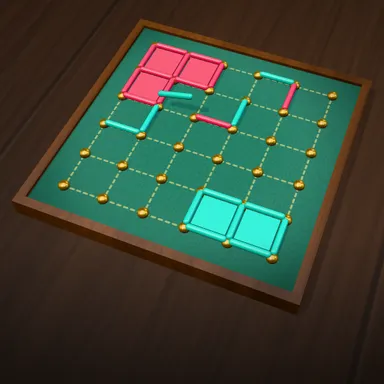
About Dots and Boxes: Treasure Squares
Dots and Boxes: Treasure Squares adds pirate gold to the line-drawing duel. The board is green baize in a walnut frame with golden studs, and before each game a handful of squares receive a shiny coin: most are worth two points and the one nearest the centre is worth three. Every ordinary square still counts one. You and the computer take turns drawing ruby and teal rods between neighbouring studs; close the fourth side of a square to claim it, collect any coin inside and move again. Because points now matter more than the number of squares, the usual endgame arithmetic changes. Is it worth handing over two plain boxes to keep a treasure chain for yourself? Should you sacrifice early to grab the centre coin? The computer weighs coins too: Medium never gives away a square while a safe line exists, and Hard calculates the final stretch exactly, coin values included. The coin layout changes every game, so no two boards play alike. Warnings show when a line would hand over a square, golden highlights mark boxes ready to close, and unlimited undo and hints make it a friendly way for families to learn the strategy together.
How to play
Tap between two neighbouring studs to draw a line (tap twice on phones). Close a square's fourth side to claim it, take its coin (worth 2 or 3) and move again. Highest score wins. Undo (U), Hint (H), New game (N).
Controls
| Click / Tap | Draw |
📺 Play on a TV or projector
- Laptop or PC: connect it to the TV or projector with an HDMI cable (or cast the Chrome tab / mirror your screen), then press the fullscreen button.
- Android TV, Google TV or a TV box: open this site in a browser app on the TV (any Chromium-based TV browser works) and pick a game with the remote's arrows and OK.
- Gamepad: pair a Bluetooth controller (Xbox, PlayStation or a generic one) or plug in a USB one. Stick or D-pad moves, Ⓐ/✕ jumps and selects, Start pauses, View/Select switches fullscreen. In point-and-click games the right stick moves a pointer and RT clicks.
- Phone or tablet: mirror or cast your screen to the TV, or open the site in the TV's own browser.
Difficulty: ★★★☆☆ · Released: 2026-10-07