
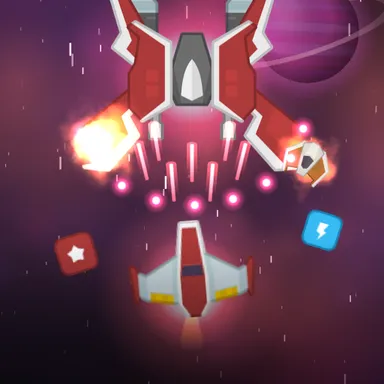
About Dreadnought Duel
Skip the warm-up: Dreadnought Duel is fifteen back-to-back boss fights, one mothership per level, each built around a signature attack. The crimson fighter has a tiny bullet-hell hitbox — only the glowing core of the ship counts — so you can slip between shots that look impossible at first glance. Learn the patterns: aimed three-way volleys that become radial rings, spiral streams that rotate faster as the hull cracks, plasma walls with a single gap that follows you, escort drones peeling off the wings, and a charging beam that locks onto your column before it fires. Every dreadnought shields its core with two turrets, so each fight opens by dismantling its flanks. You start each duel with a triple-spread cannon, three bombs and a fresh hull; spend them early to save time, or keep them for a bigger bonus. Stars are awarded for speed — beat the par time for three — and taking two or more hits costs one. Later duels hit harder, fire faster and soak more damage, making the final few a genuine test of nerves and pattern reading.
How to play
Fly with the mouse, the arrow keys or by dragging; you fire automatically. Only your ship's core can be hit, so thread through the gaps. Destroy both turrets to open the core, use Space or the bomb button when cornered, and beat the par time for three stars.
Controls
| MouseDrag | Move |
| Arrow keysW A S D | Move |
| Space | Special move |
📺 Play on a TV or projector
- Laptop or PC: connect it to the TV or projector with an HDMI cable (or cast the Chrome tab / mirror your screen), then press the fullscreen button.
- Android TV, Google TV or a TV box: open this site in a browser app on the TV (any Chromium-based TV browser works) and pick a game with the remote's arrows and OK.
- Gamepad: pair a Bluetooth controller (Xbox, PlayStation or a generic one) or plug in a USB one. Stick or D-pad moves, Ⓐ/✕ jumps and selects, Start pauses, View/Select switches fullscreen. In point-and-click games the right stick moves a pointer and RT clicks.
- Phone or tablet: mirror or cast your screen to the TV, or open the site in the TV's own browser.
Difficulty: ★★★★☆ · Released: 2026-10-08