
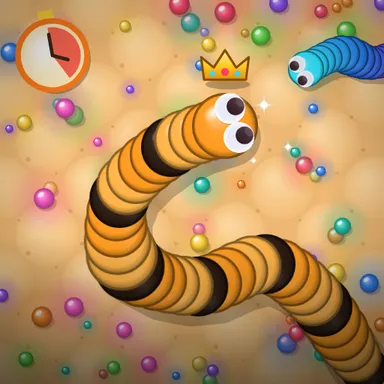
About Snake Sprint Showdown
Snake Sprint Showdown turns the snake arena into a three minute race on warm desert sand. Every snake starts the round small, the clock starts ticking the moment you enter and only one question matters when it reaches zero: who is the longest? Food is richer here, growth is faster and candy coloured orbs cover the dunes, so the leaderboard reshuffles constantly. Being eaten is not the end of your round. You pop back in a few seconds later as a fresh little snake, so a bad crash costs you length, not the match, and a late comeback is always possible. That changes how you play. Early on, sweep the open sand and grab the double food bubbles to snowball. In the middle of the round, hunt the leaders: one clever cut in front of the top snake can drop a fortune of orbs right at your mouth. In the final thirty seconds everything gets tense, the timer turns red, a voice tells you to hurry and every boost has to pay for itself. Pick a skin, watch the crown and finish the round on top of the board to win. This one is built for company: Quick Match, private rooms and friend invites put up to six real players on the same sand, the AI plays any empty seat and the rival bots keep the dunes crowded. Online, the clock is shared, everybody respawns small after a crash, and the final leaderboard at zero decides who earns the points.
How to play
Steer with the mouse (or stick on phones) and hold click, Space or the lightning button to boost. Be the longest snake when the three minute timer runs out. If you get eaten you respawn small, so keep fighting. Online: use Quick Match, a room or a friend invite on the game page. Up to six players per arena, a round lasts a few minutes, and you respawn when you are eaten.
Controls
| Mouse | Steer |
| Click / TapSpace | Boost |
| Arrow keys | Steer |
📺 Play on a TV or projector
- Laptop or PC: connect it to the TV or projector with an HDMI cable (or cast the Chrome tab / mirror your screen), then press the fullscreen button.
- Android TV, Google TV or a TV box: open this site in a browser app on the TV (any Chromium-based TV browser works) and pick a game with the remote's arrows and OK.
- Gamepad: pair a Bluetooth controller (Xbox, PlayStation or a generic one) or plug in a USB one. Stick or D-pad moves, Ⓐ/✕ jumps and selects, Start pauses, View/Select switches fullscreen. In point-and-click games the right stick moves a pointer and RT clicks.
- Phone or tablet: mirror or cast your screen to the TV, or open the site in the TV's own browser.
Difficulty: ★★★☆☆ · Released: 2026-10-07