
About Guandan: Level Up Partners
Guandan: Level Up Partners brings Jiangsu's favourite team card game to your browser with the feel of a real card room. Four players sit around the table in two teams, partners facing each other, and share two full decks with four jokers, twenty-seven cards each. Your team climbs from level 2 towards the Ace: finish a deal first and second together and you jump three levels, first and third earns two, first and last just one. Every deal has a trump rank, and the heart of that rank is a wild card that can stand in for almost anything. Lead singles, pairs, triples, full houses, straights, three consecutive pairs and steel plates, beat each play with a bigger one of the same shape, or blow the table open with bombs of four to ten cards, a straight flush or the unstoppable four-joker bomb. Losers pay tribute with their best card and receive a small card back, and when a partner goes out the lead passes across the table. Your hand is sorted into neat rank columns, the wild card glows gold, Hint suggests the cheapest winning play, and a card counter tracks what is still out. Climb past the Ace against smart AI partners and rivals, or sign in to play live tables with real people.
How to play
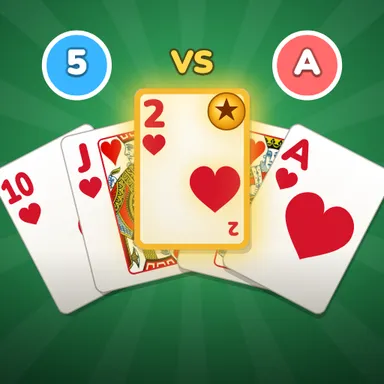
Tap or drag across cards to pick them, then press Play (Enter). Beat the table with the same type but higher, or with a bomb; otherwise Pass (X). Hint (H) suggests a play. The gold-framed heart level card is wild. After a deal, the last finisher pays tribute and you pick a card of 10 or lower to return.
Controls
| Click / TapDrag | Select |
| Enter | Place |
| X | Pass |
📺 Play on a TV or projector
- Laptop or PC: connect it to the TV or projector with an HDMI cable (or cast the Chrome tab / mirror your screen), then press the fullscreen button.
- Android TV, Google TV or a TV box: open this site in a browser app on the TV (any Chromium-based TV browser works) and pick a game with the remote's arrows and OK.
- Gamepad: pair a Bluetooth controller (Xbox, PlayStation or a generic one) or plug in a USB one. Stick or D-pad moves, Ⓐ/✕ jumps and selects, Start pauses, View/Select switches fullscreen. In point-and-click games the right stick moves a pointer and RT clicks.
- Phone or tablet: mirror or cast your screen to the TV, or open the site in the TV's own browser.
Difficulty: ★★★★☆ · Released: 2026-10-07