
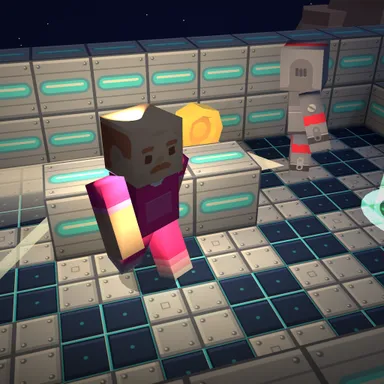
About Lights Out Noob
Lights Out Noob is the night shift of the prison break. The power has gone out, the corridors are dark, and the only things you can really see are the guards' bright flashlight beams sweeping across the floor and the soft glow around your own hot pink onesie. Darkness is your friend, because shadows are safe and beams are not, but you can no longer read a whole room at a glance. You must remember where the patrol is going, listen for the guard's little alert sting and sneak from one pool of shadow to the next. Flashlights reach a bit farther than usual, security cameras sweep with a red eye, and you will find silly disguise caps that fool the guards but never the cameras, vents to crawl through, levers to flip, keys to find and cracked walls to dig. Twelve nighttime levels travel through the Space Station, the Cartoon Jail and the Pirate Ship, each with three coins and three stars for escaping, collecting every coin and never getting caught. When a guard catches you he just carries you back to your cell, shakes his head and goes back to work. Slow, tense, spooky but always silly, it is a great pick for players who love stealth.
How to play
Move with W A S D or the arrow keys (on a phone: drag the on-screen stick) and press Space (or the JUMP button) to leap over gaps. The lights are off: stay in the shadows, out of the bright flashlight beams and camera sweeps. Hide in vents, and reach the glowing EXIT.
Controls
| W A S DArrow keys | Move |
| Space | Jump |
📺 Play on a TV or projector
- Laptop or PC: connect it to the TV or projector with an HDMI cable (or cast the Chrome tab / mirror your screen), then press the fullscreen button.
- Android TV, Google TV or a TV box: open this site in a browser app on the TV (any Chromium-based TV browser works) and pick a game with the remote's arrows and OK.
- Gamepad: pair a Bluetooth controller (Xbox, PlayStation or a generic one) or plug in a USB one. Stick or D-pad moves, Ⓐ/✕ jumps and selects, Start pauses, View/Select switches fullscreen. In point-and-click games the right stick moves a pointer and RT clicks.
- Phone or tablet: mirror or cast your screen to the TV, or open the site in the TV's own browser.
Difficulty: ★★★★☆ · Released: 2026-10-08