
About Parkour Prison Dash
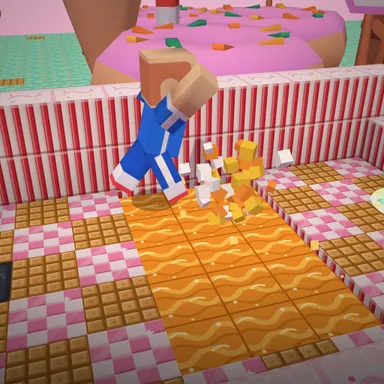
Parkour Prison Dash is the speedrun side of the great escape. The guards have gone home for the night, but the prison itself fights back: floors crumble a heartbeat after you step on them, spike plates punch up on a steady beat, sliding doors snap open and shut, bridges hide behind levers and syrup, plasma and sea water wait under every gap. You wear a sporty blue tracksuit, there is a clock ticking at the top of the screen, and every level is a short obstacle course across a different part of the prison. Jump gaps up to two blocks wide, hop up stair-step blocks without stopping, hit the checkpoint flags so a fall only costs you a few seconds, and learn the rhythm of each trap. A few late levels bring back sleepy guards and cameras, so you have to stay fast and sneaky at once. Sixteen courses across the Cartoon Jail, Candy Castle, Space Station and Pirate Ship hide three coins each, and each level awards stars for finishing, collecting every coin and beating the par time. Falling is never scary, you just poof back to the last checkpoint with a goofy splash. Short runs, instant retries and big satisfying jumps make it a great quick challenge.
How to play
Move with W A S D or the arrow keys (on a phone: drag the on-screen stick) and press Space (or the JUMP button) to leap over gaps. The clock runs while you play: reach the EXIT under the par time for the third star. Falling or touching spikes sends you back to the last checkpoint flag.
Controls
| W A S DArrow keys | Move |
| Space | Jump |
📺 Play on a TV or projector
- Laptop or PC: connect it to the TV or projector with an HDMI cable (or cast the Chrome tab / mirror your screen), then press the fullscreen button.
- Android TV, Google TV or a TV box: open this site in a browser app on the TV (any Chromium-based TV browser works) and pick a game with the remote's arrows and OK.
- Gamepad: pair a Bluetooth controller (Xbox, PlayStation or a generic one) or plug in a USB one. Stick or D-pad moves, Ⓐ/✕ jumps and selects, Start pauses, View/Select switches fullscreen. In point-and-click games the right stick moves a pointer and RT clicks.
- Phone or tablet: mirror or cast your screen to the TV, or open the site in the TV's own browser.
Difficulty: ★★★☆☆ · Released: 2026-10-08