
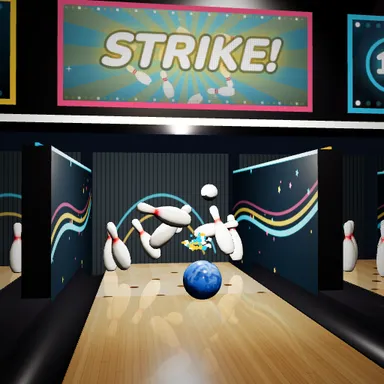
About Spare Room Challenge
Spare Room Challenge is a practice hall for the shots that win close games. In a brick-walled alley with a blue neon sign, the pinsetter sets up a specific leave for every level and you have a handful of balls to knock it down. It starts with single pins: the head pin, then the corner pins that sit right next to the gutter and punish any throw that drifts. Next come the classic shapes every bowler knows, the bucket, the washout and the clusters on either side of the deck, followed by the dreaded splits where two pins stand far apart and only a precise angle can carry one into the other. Later levels chain several leaves together, so each ball must convert the current leave before the next one is set. Watch the pin diagram in the corner to see exactly what is still standing, move along the foul line, choose your angle with the swipe and add hook only when it helps. Clear a level without a miss for three stars, with one miss for two, and any clearance for one. Fifteen challenges unlock in order and every one can be replayed for a perfect run.
How to play
Knock down every standing pin of the leave before your balls run out; later levels chain several leaves. Drag sideways to move, swipe up from the ball to bowl, curve the swipe or use the hook slider for spin. Keyboard: arrows, A and D, Q and E, hold Space.
Controls
| Drag | Throw |
| Arrow keys | Move |
| Space | Throw |
📺 Play on a TV or projector
- Laptop or PC: connect it to the TV or projector with an HDMI cable (or cast the Chrome tab / mirror your screen), then press the fullscreen button.
- Android TV, Google TV or a TV box: open this site in a browser app on the TV (any Chromium-based TV browser works) and pick a game with the remote's arrows and OK.
- Gamepad: pair a Bluetooth controller (Xbox, PlayStation or a generic one) or plug in a USB one. Stick or D-pad moves, Ⓐ/✕ jumps and selects, Start pauses, View/Select switches fullscreen. In point-and-click games the right stick moves a pointer and RT clicks.
- Phone or tablet: mirror or cast your screen to the TV, or open the site in the TV's own browser.
Difficulty: ★★★☆☆ · Released: 2026-10-07