
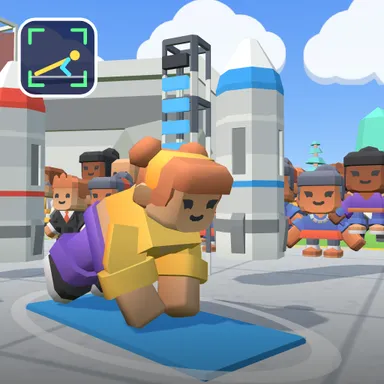
About Push-Up Rocket Race
Push-Up Rocket Race is a push-up battle for up to four players on a launch field at sunset, and every push-up you really do fuels your own rocket. Put the camera on the floor about two metres to your side, get into the push-up position, and your blocky athlete copies your arms as you go down and push back up. Each clean push-up lights one fuel cell on your launch tower; ten cells and your rocket blasts off into the sky with fire and smoke, then a fresh one rolls in for the next ten. The race lasts sixty seconds and the most push-ups wins, with a big counter over every athlete so everyone can see who is ahead. A friendly coach watches your form: go all the way down or it only counts as a half rep, keep your body straight, and you will hear Hips up! or Hips down! when it bends. Push-ups on your knees count too and go on their own leaderboard, so younger kids race fairly. Nothing from your camera is recorded or sent; the game only uses the stick figure you see in the small preview. No camera? Hold the space bar or the PUSH button to go down and let go to push up. Race three computer athletes, a friend on the same camera, or players online through Quick Match, a private room or an invite link.
How to play
Camera: put the device on the floor about 2 m to your side (or on the floor in front of your head), get into the push-up position with your whole body in the picture, then lower your chest until your elbows bend and push all the way up again — every full push-up fuels your rocket, ten launch it. Keys or touch: hold SPACE, ↓ or PUSH to go down and let go to push up. Two players on one camera: lie side by side with your heads toward the phone. Online: pick Quick Match, Create room or Invite on the game page.
Controls
| Space | Hold |
📺 Play on a TV or projector
- Laptop or PC: connect it to the TV or projector with an HDMI cable (or cast the Chrome tab / mirror your screen), then press the fullscreen button.
- Android TV, Google TV or a TV box: open this site in a browser app on the TV (any Chromium-based TV browser works) and pick a game with the remote's arrows and OK.
- Gamepad: pair a Bluetooth controller (Xbox, PlayStation or a generic one) or plug in a USB one. Stick or D-pad moves, Ⓐ/✕ jumps and selects, Start pauses, View/Select switches fullscreen. In point-and-click games the right stick moves a pointer and RT clicks.
- Phone or tablet: mirror or cast your screen to the TV, or open the site in the TV's own browser.
Difficulty: ★★☆☆☆ · Released: 2026-10-10