
About Ludo Rush: Candy Dash
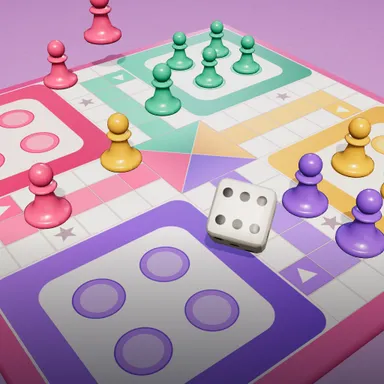
Ludo Rush: Candy Dash is the five-minute version of the race game, served on a sweet pastel board with pink, mint, orange and violet pawns. Every player has only two pawns, and one of them already stands on its start square when the game begins, so you are racing from the very first roll. A five or a six launches the second pawn, you never need an exact roll to get home because any throw that reaches the centre counts, captures still send rivals back to their yard, the star squares keep you safe, and sixes, captures and pawns reaching home all earn another throw. With half the pieces and a head start, games are short, swingy and full of laughs, ideal for a quick round with the family, a coffee break, or teaching younger players how the board works before they move on to the full four-pawn game. Pick two, three or four players and an Easy, Medium or Hard computer, or sign in and jump into an online table with real people. Single moves play themselves, and every hop, knock-back and home run is animated on the 3D board.
How to play
Tap the die to roll. Each player has two pawns and one starts on the board. Roll a 5 or 6 to bring out the other. Tap a glowing pawn to move it; any roll that reaches the centre gets it home. Knock rivals home, and get both pawns to the centre first.
Controls
| Click / Tap | Select |
| Space | Throw |
| 1 | Move |
📺 Play on a TV or projector
- Laptop or PC: connect it to the TV or projector with an HDMI cable (or cast the Chrome tab / mirror your screen), then press the fullscreen button.
- Android TV, Google TV or a TV box: open this site in a browser app on the TV (any Chromium-based TV browser works) and pick a game with the remote's arrows and OK.
- Gamepad: pair a Bluetooth controller (Xbox, PlayStation or a generic one) or plug in a USB one. Stick or D-pad moves, Ⓐ/✕ jumps and selects, Start pauses, View/Select switches fullscreen. In point-and-click games the right stick moves a pointer and RT clicks.
- Phone or tablet: mirror or cast your screen to the TV, or open the site in the TV's own browser.
Difficulty: ★☆☆☆☆ · Released: 2026-10-07