
About Toybox Tycoon
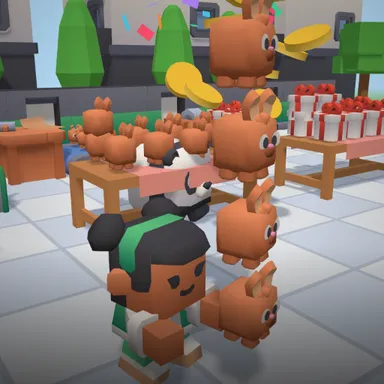
Toybox Tycoon hands you the keys to a bright little toy shop where the workbenches never stop. Teddy bears, racing cars, gift boxes, wind-up trains, nutcrackers and chunky monster trucks roll off the conveyor belts at the back, and your job is to carry them to the display tables before the kids arrive. And they do arrive: every minute or so a whole group storms in at once, and some of them are VIP collectors with a golden crown who buy armfuls of toys and pay double. Keep the tables stocked through the rush, run the till, scoop up the coins and pour them into new workbenches, bigger carrying capacity and faster shoes. Hire a cashier to handle the queue and a team of panda helpers to shuttle toys from the benches to the tables while you chase the VIPs. An arrow on the floor always points to the next affordable upgrade, and a progress bar shows how much of the shop is left to open. Unlock everything to complete the store and move to a bigger shop across town with pricier toys. Your shop saves as you go and earns a little while you are away.
How to play
WASD / arrows, click to walk, or drag on a phone. Walk past the workbenches to grab toys, walk to a table to stock it, stand at the till to serve, walk over coins to collect them and stand on a priced pad to buy it. VIPs with crowns pay double.
Controls
| W A S DArrow keys | Move |
| Mouse | Move |
📺 Play on a TV or projector
- Laptop or PC: connect it to the TV or projector with an HDMI cable (or cast the Chrome tab / mirror your screen), then press the fullscreen button.
- Android TV, Google TV or a TV box: open this site in a browser app on the TV (any Chromium-based TV browser works) and pick a game with the remote's arrows and OK.
- Gamepad: pair a Bluetooth controller (Xbox, PlayStation or a generic one) or plug in a USB one. Stick or D-pad moves, Ⓐ/✕ jumps and selects, Start pauses, View/Select switches fullscreen. In point-and-click games the right stick moves a pointer and RT clicks.
- Phone or tablet: mirror or cast your screen to the TV, or open the site in the TV's own browser.
Difficulty: ★★☆☆☆ · Released: 2026-10-07