
About Cup Pong
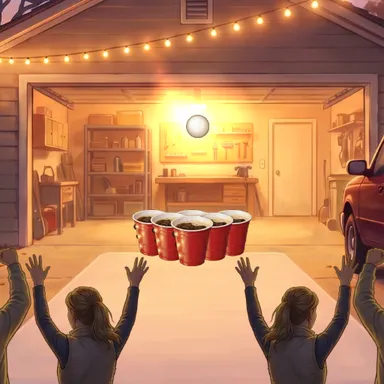
Cup Pong is the game everybody plays at a driveway tailgate: a ping-pong ball, a folding table and a pyramid of red party cups full of root beer. Here you throw it with your actual hand. Your webcam watches your fingers: pinch to pick up the ball, move to line it up, then flick up and open your fingers. How fast you flick decides how far it flies and the line of your flick decides whether it drifts left or right, so there is no aiming cursor and nothing to hide behind. The ball flies for real. It rims out, it rattles, it spins around the lip of a cup while everybody holds their breath. Drop it in and the soda splashes and the crowd at your shoulders goes nuts. Hold the ball down low and flick hard for a bounce shot worth two cups, but if your friend is quick they can swat it out of the air once it bounces. Three in a row and you're on fire: keep shooting until you miss. Lose your last cup and you get one shot at redemption. It's made for two friends side by side at one camera, left against right, with plenty to yell about. On your own, work your way through the neighbors, from Tyler next door, who has never lost (he has), to Nana, undefeated since 1971. No camera? Flick with a mouse or a finger. The camera picture never leaves your device.
How to play
Choose With my hand and hold a hand up to the camera. Pinch your thumb and finger to pick up the ball, move it to line up your shot, then flick up and open your fingers. Flick speed sets the distance; the line of the flick sets left or right. Hold the ball down low and flick hard for a bounce shot, worth two cups. When your friend's ball bounces, swipe your hand through it to swat it away. Two throws a turn; three in a row and you're on fire. Mouse or touch: press, flick up, let go. Keys: arrows aim, hold Space and let go in the band.
Controls
| Click / Tap | Aim |
| Click / Tap | Throw |
| Arrow keysSpace | Aim and shoot |
📺 Play on a TV or projector
- Laptop or PC: connect it to the TV or projector with an HDMI cable (or cast the Chrome tab / mirror your screen), then press the fullscreen button.
- Android TV, Google TV or a TV box: open this site in a browser app on the TV (any Chromium-based TV browser works) and pick a game with the remote's arrows and OK.
- Gamepad: pair a Bluetooth controller (Xbox, PlayStation or a generic one) or plug in a USB one. Stick or D-pad moves, Ⓐ/✕ jumps and selects, Start pauses, View/Select switches fullscreen. In point-and-click games the right stick moves a pointer and RT clicks.
- Phone or tablet: mirror or cast your screen to the TV, or open the site in the TV's own browser.
Difficulty: ★★☆☆☆ · Released: 2026-11-05