
About Pub Darts
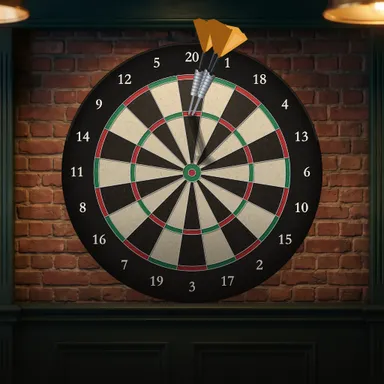
Pub Darts puts a proper bristle board on an old brick wall, under two brass lamps, and lets you throw with your own hand. Your webcam watches your hand: move your open hand to aim, pinch your thumb and index finger together to lock on, then flick your hand up and open your fingers. The throw decides everything: too soft and it lands low or never reaches the board, too hard and it flies high, crooked and it drifts, and if you dither your arm starts to shake. After every throw a gauge tells you how it went. The board scores like a regulation one, with triples, doubles, the outer bull and the bull, and a dart that catches a wire can bounce out. Every turn is chalked up on the slate beside the board. Play alone and chase your best total over eight rounds of three darts, take turns with a friend or family member at the same camera, or take on Old Tom, a regular at the pub with a steady arm and a soft spot for the twenty. No camera, or on a train or a plane? Aim, press and swipe up with the mouse or a finger instead. The camera picture never leaves your device.
How to play
Choose With my hand and hold one hand up to the camera. Move your open hand onto the target and pinch thumb and index finger to lock on. Then flick your hand up and open your fingers: the speed sets the height, the direction sets the side. Mouse: aim, press, swipe up, let go. Touch: drag to aim, swipe up fast, lift your finger. Keys: arrows aim, hold Space and let go when the needle is in the gold. Eight rounds of three darts; the highest total wins.
Controls
| Click / Tap | Aim |
| Click / Tap | Throw |
| Arrow keysSpace | Aim and shoot |
📺 Play on a TV or projector
- Laptop or PC: connect it to the TV or projector with an HDMI cable (or cast the Chrome tab / mirror your screen), then press the fullscreen button.
- Android TV, Google TV or a TV box: open this site in a browser app on the TV (any Chromium-based TV browser works) and pick a game with the remote's arrows and OK.
- Gamepad: pair a Bluetooth controller (Xbox, PlayStation or a generic one) or plug in a USB one. Stick or D-pad moves, Ⓐ/✕ jumps and selects, Start pauses, View/Select switches fullscreen. In point-and-click games the right stick moves a pointer and RT clicks.
- Phone or tablet: mirror or cast your screen to the TV, or open the site in the TV's own browser.
Difficulty: ★★☆☆☆ · Released: 2026-11-05