
About Apple Knockers
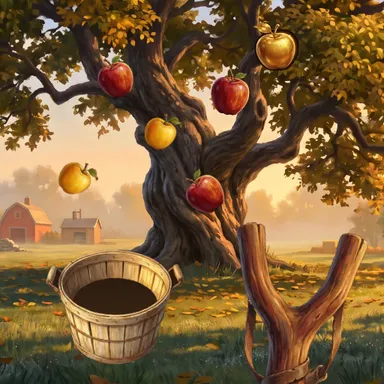
Apple Knockers takes you to an old New England orchard on a crisp October day, with one enormous apple tree, a red barn in the distance and leaves coming down all around you. Two friends sit side by side at one webcam. One of you pinches the pouch of a homemade wooden slingshot, pulls back and lets a little green crabapple fly into the branches. The other runs underneath with a bushel basket and tries to catch whatever comes down. Pull further and the shot goes higher. Pull left and it goes right. Clip a limb and you shake loose everything near it. Then comes the real decision: a full basket gets heavy and slow, only apples in the crate count, and a bruised apple is worth nothing. Do you run for the crate now or wait for one more? Over six days the trouble piles up. A furious goose charges the basket, yellowjackets guard the rotten ones, a squirrel raids the crate, and the wind picks up. A golden apple waits at the very top of the tree, and if you hit the farmer in the far row, you will hear about it. It all leads to the county fair and a blue ribbon for the best pie. Swap jobs every round and blame each other for the bruises. On your own, Junie from next door runs the basket. No camera? Press, pull back and let go with a mouse or a finger. Your camera picture never leaves your device.
How to play
Choose With our hands and hold up a hand each. The left hand has the slingshot in the first round: pinch to take the pouch, pull your hand down and to the side to aim, open your fingers to fire. Further is higher; left goes right. The right hand carries the basket: catch what falls, then run it to the crate on the right, because only the crate counts. A full basket is slow, and a full one poured all at once earns a bonus. Lift the basket over the goose or shoot it. Don't catch the rotten ones. Swap every round. Mouse or touch: press, pull back, let go; a friend can use the arrow keys for the basket.
Controls
| Click / Tap | Aim and shoot |
| Arrow keysSpace | Aim and shoot |
📺 Play on a TV or projector
- Laptop or PC: connect it to the TV or projector with an HDMI cable (or cast the Chrome tab / mirror your screen), then press the fullscreen button.
- Android TV, Google TV or a TV box: open this site in a browser app on the TV (any Chromium-based TV browser works) and pick a game with the remote's arrows and OK.
- Gamepad: pair a Bluetooth controller (Xbox, PlayStation or a generic one) or plug in a USB one. Stick or D-pad moves, Ⓐ/✕ jumps and selects, Start pauses, View/Select switches fullscreen. In point-and-click games the right stick moves a pointer and RT clicks.
- Phone or tablet: mirror or cast your screen to the TV, or open the site in the TV's own browser.
Difficulty: ★★☆☆☆ · Released: 2026-11-05