
About River Lights
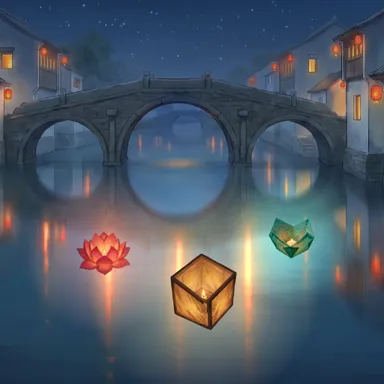
River Lights takes place on the water of an old canal town, at the hour when the windows are still dark. Hold your hand over the canal and the water answers: it parts around your palm, ripples spread and bounce off the stone embankments, and when you move, the water near your hand moves with it. Paper lanterns come floating down towards a three-arched stone bridge, and each one belongs to the arch that hangs a lantern like it. Push them gently across the current and bring them home. Every lantern that reaches its arch lights a window somewhere in town and plays the next note of a tune on the zheng, so a good night is a song you played yourself and a town that glows from end to end. Be gentle, though: water thrown too hard puts the flames out. Over five nights the ferry starts crossing, the wind gets up, the rain comes and the whole town turns out for the fair. It is better with a friend. Sit side by side and use a hand each, with more lanterns and the tune passed between you. Or play left bank against right: a pinch hooks a lantern and tows it towards your own arch, so you can fight over the gold ones in a real tug of war, and shove the cold ghost lanterns at each other. No camera? A mouse or a finger on the water works too, and the camera picture never leaves your device.
How to play
Choose With my hand and hold a hand over the water. The water pushes away from your palm and follows it when it moves. Put your palm beside a lantern, on the far side from its arch, and push it across. Each lantern goes to the arch with a lantern like it. Too rough and the flame goes out. Two friends: a hand each, together or left bank against right, where a pinch tows a lantern, gold is worth 3 and a ghost lantern costs 2. Mouse or touch: the pointer is your palm. Keys: the arrows move a palm.
Controls
| Click / Tap | Move |
| Arrow keys | Move |
📺 Play on a TV or projector
- Laptop or PC: connect it to the TV or projector with an HDMI cable (or cast the Chrome tab / mirror your screen), then press the fullscreen button.
- Android TV, Google TV or a TV box: open this site in a browser app on the TV (any Chromium-based TV browser works) and pick a game with the remote's arrows and OK.
- Gamepad: pair a Bluetooth controller (Xbox, PlayStation or a generic one) or plug in a USB one. Stick or D-pad moves, Ⓐ/✕ jumps and selects, Start pauses, View/Select switches fullscreen. In point-and-click games the right stick moves a pointer and RT clicks.
- Phone or tablet: mirror or cast your screen to the TV, or open the site in the TV's own browser.
Difficulty: ★★☆☆☆ · Released: 2026-11-05