
About Pizza Toss
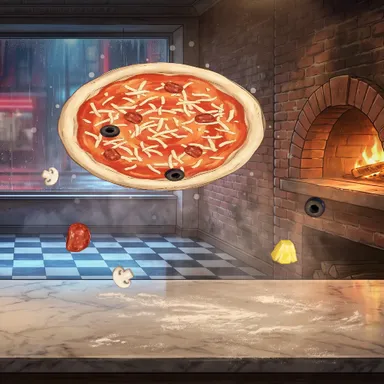
It's raining in New York, the line at Sal's is out the door, and you and your best friend have one tiny kitchen between you. Pizza Toss is played with your actual hands in front of your webcam. One of you works the dough: flick your hand up with a twist and the pie goes spinning overhead, then get under it with an open palm and catch it. Every toss makes it bigger and thinner, so you stop when it matches the ticket. Toss too hard and it's stuck on the ceiling fan. Toss it crooked and it lands on a customer's head. Stretch it too far and it tears. The other one of you handles everything else: pinch a handful of pepperoni, mushrooms, olives or pineapple from the bins and open your fingers over the pie. Land them while the pie is still in the air and the tip goes way up. Then pinch the pie, drag it into the brick oven, and pull it out when it's golden, because nobody times it for you and the smoke alarm is real. Swap jobs every shift, from a slow Monday to the Saturday night rush, with the health inspector dropping in on Thursday. Sunday is the Big Toss, where the biggest pie wins. Flying solo? Old Sal will help with the toppings. A mouse or a finger works fine too, and your camera feed stays on your computer.
How to play
Choose With my hands and hold your hands up. Tosser: put a hand under the dough and flick up, then catch it with an open palm; each toss stretches it. When it fills the dashed ring, move your hand and let it land. Topper: pinch a handful from a bin and open your fingers over the pie, or while it's in the air for extra tips. Pinch the pie and drag it to the oven; when it's golden, pinch at the oven and pull it out. Mouse or touch: press the dough, swipe up and let go; press and drag everything else. Keys: arrows move, Space grabs.
Controls
| Click / Tap | Move |
| Click / Tap | Throw |
| Arrow keysSpace | Aim and shoot |
📺 Play on a TV or projector
- Laptop or PC: connect it to the TV or projector with an HDMI cable (or cast the Chrome tab / mirror your screen), then press the fullscreen button.
- Android TV, Google TV or a TV box: open this site in a browser app on the TV (any Chromium-based TV browser works) and pick a game with the remote's arrows and OK.
- Gamepad: pair a Bluetooth controller (Xbox, PlayStation or a generic one) or plug in a USB one. Stick or D-pad moves, Ⓐ/✕ jumps and selects, Start pauses, View/Select switches fullscreen. In point-and-click games the right stick moves a pointer and RT clicks.
- Phone or tablet: mirror or cast your screen to the TV, or open the site in the TV's own browser.
Difficulty: ★★★☆☆ · Released: 2026-11-05