
About Piñata Party
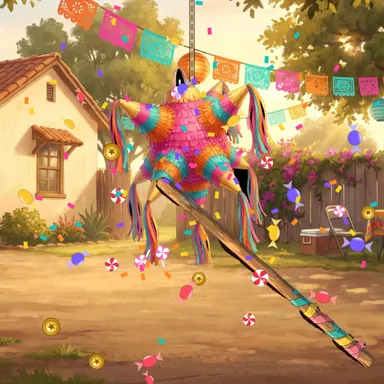
Piñata Party drops you into a backyard at sunset at a big family birthday party, with cut-paper banners overhead, a long table of food, and a piñata on a rope over the old pecan tree. All you need is a webcam and a friend sitting next to you. One of you swings the stick: a fast swipe of your hand, and the harder and straighter you hit it, the more it gives. The other one has the rope: raise your hand and the piñata rises, slide sideways and it swings, flick up and it's gone just as the stick arrives. Miss, and the whole yard starts to tilt, because you're getting dizzy. Land a clean one and paper tears, an ear falls off, candy starts to leak. When it finally goes, candy rains everywhere and you both get a few seconds to make a fist and sweep up all you can before the kids get there. Swap every round and keep score: candy knocked loose, seconds on the rope, candy in your bag. There's a star, a burro, a rocket, a giant cupcake, a shark and a dragon, and some of them are hiding glitter, a confetti cannon or a spring-loaded snake. Playing alone? Uncle Rafa has the rope, over six parties that go from half asleep to Abuela taking it away from him. A mouse, a finger or the arrow keys work too, and the camera picture never leaves your device.
How to play
Choose With our hands and hold your hands up, one friend on each side of the picture. The swinger swipes fast through the piñata; the middle of it hits hardest. The one on the rope raises, lowers and slides it, and a quick flick up yanks it out of the way. When it bursts, make a fist and sweep up the candy before the kids do. Swap every round. Alone, Uncle Rafa has the rope. Mouse or touch: swipe to swing, press and sweep for candy. With two on one computer, the rope is the arrow keys and Space.
Controls
| Click / Tap | Hit |
| Arrow keysSpace | Aim and shoot |
📺 Play on a TV or projector
- Laptop or PC: connect it to the TV or projector with an HDMI cable (or cast the Chrome tab / mirror your screen), then press the fullscreen button.
- Android TV, Google TV or a TV box: open this site in a browser app on the TV (any Chromium-based TV browser works) and pick a game with the remote's arrows and OK.
- Gamepad: pair a Bluetooth controller (Xbox, PlayStation or a generic one) or plug in a USB one. Stick or D-pad moves, Ⓐ/✕ jumps and selects, Start pauses, View/Select switches fullscreen. In point-and-click games the right stick moves a pointer and RT clicks.
- Phone or tablet: mirror or cast your screen to the TV, or open the site in the TV's own browser.
Difficulty: ★★☆☆☆ · Released: 2026-11-05