
About Burger Flip
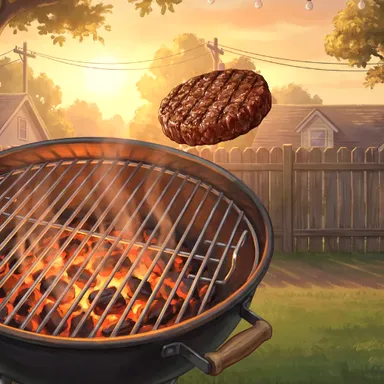
The coals are ready, the neighbors are lined up at the fence, and the sun is going down fast. Burger Flip is a backyard cookout you work with your bare hands in front of your webcam, and it's better with a buddy. One of you runs the spatula: slide under a patty and flick your hand up to flip it. Too soft and it flops. Just right and it lands sizzling on the other side. Flick hard and a finished patty goes sailing across the yard. That's where your friend comes in, holding the bun. Get under it, catch it, catch another one on top if you've got the nerve, close your hand to top it and open it to sling the burger down the line. Everybody wants something different: rare, well done, double, extra cheese. Miss, and the dog under the picnic table has had a very good day. Flare-ups scorch whatever's in the wrong spot, the wind shoves your best toss sideways, and late in the summer a raccoon starts working the grill. Work your way from the backyard through the block party and the tailgate to the county fair cook-off, swapping jobs each shift. Alone? Use both hands, or let Uncle Ray take the bun. A mouse or a finger works too, and your camera feed stays on your computer.
How to play
Choose With my hand and hold a hand up to the camera. Spatula: move under a patty and flick up to flip it. A soft flick flops, a good one flips, a hard one sends a done patty (gold ring) to the bun, and too hard feeds the dog. Bun: move under a falling patty to catch it, stack up to three, hold it over the slices for cheese, close your hand to top it, open your hand to send it to whoever's waiting. Mouse or touch: press and flick over the grill, the pointer is the bun over the table.
Controls
| Click / Tap | Swipe |
| Arrow keysSpace | Aim and shoot |
📺 Play on a TV or projector
- Laptop or PC: connect it to the TV or projector with an HDMI cable (or cast the Chrome tab / mirror your screen), then press the fullscreen button.
- Android TV, Google TV or a TV box: open this site in a browser app on the TV (any Chromium-based TV browser works) and pick a game with the remote's arrows and OK.
- Gamepad: pair a Bluetooth controller (Xbox, PlayStation or a generic one) or plug in a USB one. Stick or D-pad moves, Ⓐ/✕ jumps and selects, Start pauses, View/Select switches fullscreen. In point-and-click games the right stick moves a pointer and RT clicks.
- Phone or tablet: mirror or cast your screen to the TV, or open the site in the TV's own browser.
Difficulty: ★★☆☆☆ · Released: 2026-11-05