
About Drum Room
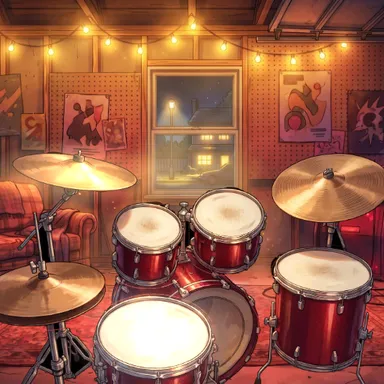
Drum Room is a full drum kit in a garage at night, and you don't need any of it in your house. Hold your hands up to the webcam like you've got sticks in them and bring one down: the drum underneath speaks, loud or soft depending on how hard you swing. The hits are real recorded drums. Pick a song and watch the demo to hear how it goes, then play along as rings close on each drum, on Easy with the kick playing itself, on Hard with nearly every note. Or ignore the rings and jam over the band. The ten built-in songs are instrumentals made for this game: arena rock, funk, disco, pop punk, Beethoven and Grieg played far too loud, and rock takes on Cantonese classics. Got your own favorite? Pick a song file from your device and the game finds the beat and writes a chart for it, right there. Your file stays on your device and is never uploaded. The beat maker lets you program your own groove, then play it back and hit along. Two friends can split the kit at one camera, one on hi-hat and snare, one on kick and toms, or trade eight bars in a drum-off. No camera? Your keyboard is a kit, and on a phone or tablet every finger is a stick. Go long enough without a mistake and the neighbors' lights come on. Keep going and the dog starts to sing.
How to play
Choose With my hands and hold your hands up to the camera. Bring a hand down sharply to strike the drum under it, no foot needed: the kick is the pad low in the middle. Play along by hitting each drum as its ring closes. Two friends: left of the camera plays hi-hat, snare and crash; right plays kick, toms and ride. Keys: Q crash, A hi-hat, S snare, Space kick, J K L toms, P ride. Phones and tablets: tap the drums with every finger. Timing feels off? Use Timing on a song's card.
Controls
| Click / Tap | Move |
| Space | Jump |
📺 Play on a TV or projector
- Laptop or PC: connect it to the TV or projector with an HDMI cable (or cast the Chrome tab / mirror your screen), then press the fullscreen button.
- Android TV, Google TV or a TV box: open this site in a browser app on the TV (any Chromium-based TV browser works) and pick a game with the remote's arrows and OK.
- Gamepad: pair a Bluetooth controller (Xbox, PlayStation or a generic one) or plug in a USB one. Stick or D-pad moves, Ⓐ/✕ jumps and selects, Start pauses, View/Select switches fullscreen. In point-and-click games the right stick moves a pointer and RT clicks.
- Phone or tablet: mirror or cast your screen to the TV, or open the site in the TV's own browser.
Difficulty: ★★☆☆☆ · Released: 2026-11-05