
About Last Licks
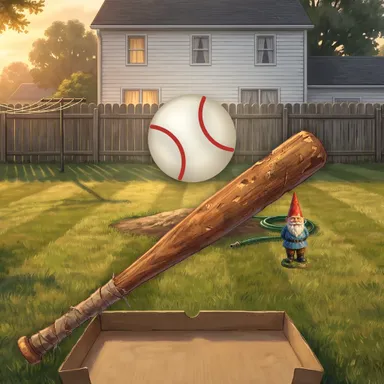
Last Licks is backyard baseball the way you played it as a kid, except now your hands are the whole team. Pull up a chair next to a friend, face the webcam, and hold up one hand each. The pitcher moves a hand to aim and flicks up to throw, harder for more heat, sideways for a curve, and a little wild when you overdo it. The batter watches the ring close on an old pizza box that's standing in for home plate and swipes a hand across at just the right moment, with your hand's height setting the bat's. Then comes the good part, because what the ball hits is the story. Rip one into the clothesline and the wash comes down. Knock over a garden gnome and it's a triple. Find the kiddie pool and the rubber duck goes flying. Clear the fence and you're in Mr. Peterson's yard, and if you find his upstairs window, you'll hear about it. A goofy dog may run off with your grounder. Three innings run from golden hour to porch lights, with an old ballpark organ cheering you on, a chalk scoreboard hanging in the oak, and the home team batting last. Playing alone? Take on the neighbor kid in a home run derby: ten outs, five levels, and every foot adds up. No camera? A mouse, a touchscreen, or the arrow keys and Space all work, and your camera feed stays on your computer.
How to play
Choose With our hands and each hold up one hand: the left of the picture is the Gnomes, the right is the Mutts. To pitch: move your hand to aim, then flick up to throw. Harder is faster and wilder; flick sideways to curve it. To bat: swipe across when the ring closes on the ball, with your hand at the ball's height. Three strikes is out, three balls is a walk, three outs and you swap. Home run derby: ten outs, and the distance adds up. Mouse or touch: swipe to swing; press, flick up and let go to pitch. Keys: arrows to aim or set the bat's height, Space to swing or hold and release to pitch.
Controls
| Click / Tap | Swing |
| Arrow keys | Aim |
| Space | Swing |
📺 Play on a TV or projector
- Laptop or PC: connect it to the TV or projector with an HDMI cable (or cast the Chrome tab / mirror your screen), then press the fullscreen button.
- Android TV, Google TV or a TV box: open this site in a browser app on the TV (any Chromium-based TV browser works) and pick a game with the remote's arrows and OK.
- Gamepad: pair a Bluetooth controller (Xbox, PlayStation or a generic one) or plug in a USB one. Stick or D-pad moves, Ⓐ/✕ jumps and selects, Start pauses, View/Select switches fullscreen. In point-and-click games the right stick moves a pointer and RT clicks.
- Phone or tablet: mirror or cast your screen to the TV, or open the site in the TV's own browser.
Difficulty: ★★☆☆☆ · Released: 2026-11-05