
About Noob vs Pro Party Pack
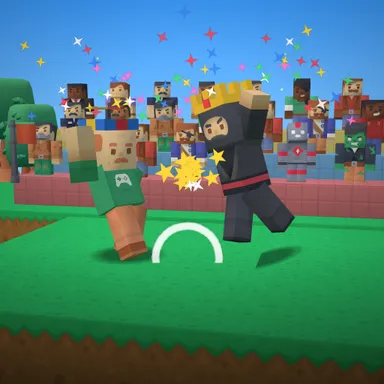
Noob vs Pro Party Pack is a two-player party game in a bright blocky world, where a goofy Noob in a propeller cap takes on a Pro wearing a golden crown. Eight quick mini-games run back to back and every round lasts about half a minute: shove each other off a floating island, trade sword hits, fire arrows across a gap, hop blocks in a side-scrolling race, outlast a melting lava floor, stack the tallest tower, paint the most floor tiles and finish with a snowball fight. Win a round to earn a star, and win it without taking a hit to earn two. A running scoreboard keeps the party tense, and a tie after the last round is settled by a sudden-death sumo showdown before the winner climbs the podium. Play alone against an AI with three skill levels, from forgiving Easy to ruthless Pro, or share one screen with a friend: the keyboard is split between W A S D plus F and the arrow keys plus L, and on a phone or tablet each player gets their own half of the screen. Hits send fighters flying across the arena, stars burst on every impact and the finishing blow plays out in slow motion. Rounds restart instantly, so one more match is always one tap away. Play online too: quick match or invite a friend, and the AI covers anyone who drops.
How to play
One screen, two fighters. Player 1 (Noob, blue): W A S D + F. Player 2 (Pro, red): arrow keys + L. Alone, pick 1 Player (W A S D or arrows, F or Space). On a phone, 1 Player has a stick and a big button; in 2 Players each half of the screen is one player. The action is a sword swing, shove, jump, stomp, throw, drop or arrow shot, depending on the mini-game. Win a round for a star (two if flawless); most stars wins the podium. Online: you play one fighter, Noob or Pro, with either key set, the mouse (drag to move, right-click to act) or the touch stick; the AI covers anyone who leaves.
Controls
| WASDF | Move |
| ←↑↓→L | Move |
📺 Play on a TV or projector
- Laptop or PC: connect it to the TV or projector with an HDMI cable (or cast the Chrome tab / mirror your screen), then press the fullscreen button.
- Android TV, Google TV or a TV box: open this site in a browser app on the TV (any Chromium-based TV browser works) and pick a game with the remote's arrows and OK.
- Gamepad: pair a Bluetooth controller (Xbox, PlayStation or a generic one) or plug in a USB one. Stick or D-pad moves, Ⓐ/✕ jumps and selects, Start pauses, View/Select switches fullscreen. In point-and-click games the right stick moves a pointer and RT clicks.
- Phone or tablet: mirror or cast your screen to the TV, or open the site in the TV's own browser.
Difficulty: ★★☆☆☆ · Released: 2026-10-08