
About Body Sports Day
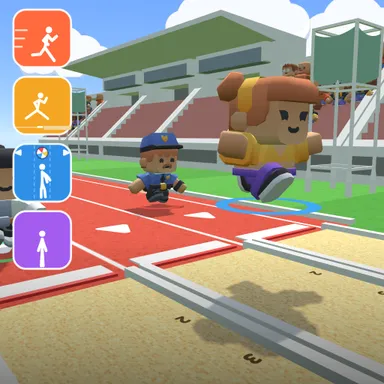
Body Sports Day is a four event athletics meet in a packed stadium, and you compete with your whole body in front of the camera. Event one is a 60 metre sprint: stand still on your marks, wait for the starting shout and then run on the spot as fast as you can, because moving too early earns a short wait at the line. Event two is the long jump: build up speed on the runway and leap the moment your feet reach the white take-off board. Your distance comes from your run-up speed, how high you jump and how close to the board you take off, and with three tries the best one counts. Event three is the ball dodge, where big beach balls roll down your lane and you step left or right to slip past them and scoop up gold stars. The finale is a burst of star jumps, so throw your arms up and count every jumping jack. Each event hands out gold, silver and bronze, and the medal table crowns the champion on the podium. The camera picture stays on your device: nothing is recorded or sent, only your moves are counted. No camera? Tap keys or big touch buttons instead and play in the same online rooms as camera athletes. Compete against three computer athletes or up to three friends online.
How to play
Choose Play with my body to use the camera: stand so your whole body fits, then follow each event card. Sprint: run on the spot after GO. Long jump: run, then jump at the white board. Ball dodge: step left or right. Finale: jumping jacks. Keys & touch: tap SPACE (or 👟) fast to run, ↑ to jump, ← → to change lanes, and ← → in turn for star jumps. Online: pick Quick Match, Create room or Invite on the game page and press Start in the waiting room; empty places are then taken by the computer.
Controls
| Space | Tap |
| ↑ | Jump |
| ←→ | Move |
📺 Play on a TV or projector
- Laptop or PC: connect it to the TV or projector with an HDMI cable (or cast the Chrome tab / mirror your screen), then press the fullscreen button.
- Android TV, Google TV or a TV box: open this site in a browser app on the TV (any Chromium-based TV browser works) and pick a game with the remote's arrows and OK.
- Gamepad: pair a Bluetooth controller (Xbox, PlayStation or a generic one) or plug in a USB one. Stick or D-pad moves, Ⓐ/✕ jumps and selects, Start pauses, View/Select switches fullscreen. In point-and-click games the right stick moves a pointer and RT clicks.
- Phone or tablet: mirror or cast your screen to the TV, or open the site in the TV's own browser.
Difficulty: ★★☆☆☆ · Released: 2026-10-09