
About Beach Kart Word Dash
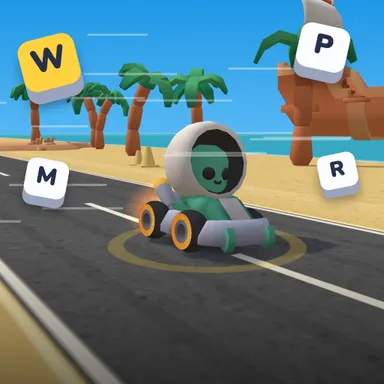
Beach Kart Word Dash is a checkpoint race against the clock along a sunny coastal road. Your little go-kart driver waits under palm trees with the sea sparkling on one side, and the moment you type the first letter the clock starts ticking down from thirty seconds. A stream of words slides across the card at the bottom of the screen: the big one in the middle is the word to type and the next ones queue up on the right, so you can read ahead like a pro. Every correct letter pushes the kart along the shore. Reach the green checkpoint gate before the clock hits zero and you win extra seconds, but each new checkpoint sits a little farther away than the last, so you need to keep your speed up as the run goes on. This is the arcade mode: a wrong key does not stop you, it marks the letter red and makes the kart stall for a moment, so accuracy still matters. The words start short and friendly and grow longer as your run continues. Your score is the distance you cover before time runs out. Beat your best, push your words per minute higher and see how many checkpoints you can chain together. Online, the dash becomes a four-kart beach race: Quick Match, private rooms and friend invites put up to four real typists on the same twenty-two word stream, the AI drives any empty kart, and the finishing order earns the points.
How to play
Type the big word in the middle, then the next ones in the queue. Every letter drives the kart forward. Reach each checkpoint gate to earn extra seconds before the clock runs out. Wrong keys make the kart stall. Online: pick Quick Match, a room or a friend invite on the game page. Up to four karts race the same 22 words; empty seats are typed by the AI. First across the line wins.
Controls
| Keyboard | Type |
| Click / Tap | Type |
📺 Play on a TV or projector
- Laptop or PC: connect it to the TV or projector with an HDMI cable (or cast the Chrome tab / mirror your screen), then press the fullscreen button.
- Android TV, Google TV or a TV box: open this site in a browser app on the TV (any Chromium-based TV browser works) and pick a game with the remote's arrows and OK.
- Gamepad: pair a Bluetooth controller (Xbox, PlayStation or a generic one) or plug in a USB one. Stick or D-pad moves, Ⓐ/✕ jumps and selects, Start pauses, View/Select switches fullscreen. In point-and-click games the right stick moves a pointer and RT clicks.
- Phone or tablet: mirror or cast your screen to the TV, or open the site in the TV's own browser.
Difficulty: ★★☆☆☆ · Released: 2026-10-08