
About Body Dash Stadium
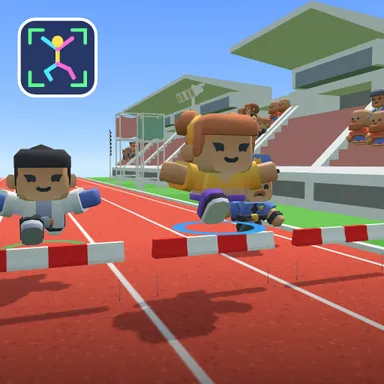
Body Dash Stadium is a 300 metre hurdle sprint that you run with your whole body. Turn on your camera, stand back until the outline says your head and feet fit, and the game follows your skeleton: run on the spot and your racer speeds down the red track, jump for real to clear the red and white hurdles, crouch low to slip under the yellow duck bars, and step left or right (or just lean) to scoop up rows of gold stars for a speed burst. The camera picture never leaves your device and nothing is recorded or sent; only your moves are counted, and a small preview in the corner shows the stick figure the game sees. No camera? Tap the run key as fast as you can instead, with jump, duck and lean on the arrow keys or big touch buttons, so the whole family can play on any computer, tablet or phone. Races last about a minute, the stands cheer every finish, and the top three climb the podium. Your results card counts your jumps and a playful calorie score, so every race is a little workout. Race three computer runners on your own, or go online with up to four friends through Quick Match, a private room or an invite link, where camera runners and key tappers share the same track and the same rules.
How to play
Choose Play with my body to use the camera: stand so your whole body fits, run on the spot to move, jump over hurdles, crouch under bars and step left or right (or lean) for stars. Or choose Keys & touch: tap SPACE (or the RUN button) fast to run, ↑ to jump, ↓ to duck, ← → to lean. Online: pick Quick Match, Create room or Invite on the game page; in the waiting room press Start when everyone is ready, empty lanes are then run by the computer.
Controls
| Space | Tap |
| ↑ | Jump |
| ↓ | Duck |
| ←→ | Lean / balance |
📺 Play on a TV or projector
- Laptop or PC: connect it to the TV or projector with an HDMI cable (or cast the Chrome tab / mirror your screen), then press the fullscreen button.
- Android TV, Google TV or a TV box: open this site in a browser app on the TV (any Chromium-based TV browser works) and pick a game with the remote's arrows and OK.
- Gamepad: pair a Bluetooth controller (Xbox, PlayStation or a generic one) or plug in a USB one. Stick or D-pad moves, Ⓐ/✕ jumps and selects, Start pauses, View/Select switches fullscreen. In point-and-click games the right stick moves a pointer and RT clicks.
- Phone or tablet: mirror or cast your screen to the TV, or open the site in the TV's own browser.
Difficulty: ★★☆☆☆ · Released: 2026-10-09