
About Home Row Heroes
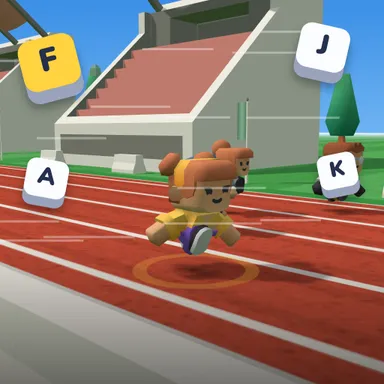
Home Row Heroes is a typing school disguised as a track meet. Your runner waits in lane one of a bright athletics stadium, and every key you press makes them sprint. Instead of throwing you into long sentences, the game teaches touch typing the way real typing courses do: the first lesson uses only F and J, the keys with the little bumps, and each new lesson adds a pair of letters until you know the whole keyboard. A large keyboard on screen lights up the next key in the colour of the finger that should press it, and a tag under the text tells you which finger to use, so you learn good habits from the very first minute. Each lesson has a pace runner with a target speed. Stay ahead of the pace and keep your accuracy above the lesson minimum to pass. Stars reward accuracy rather than raw speed: ninety percent earns two stars, ninety-seven percent earns three. There are thirty-six lessons, from slow home row drills to full-alphabet runs at forty-five words per minute, with special lessons for awkward letters like Q, Z and X. It is calm, encouraging and perfect for kids or anyone learning to type without looking. You can also race friends: Quick Match, private rooms and friend invites line up to four runners on the same short home-row words, the AI types for empty lanes at a gentle speed, and the first runners across the line earn the points.
How to play
Rest your fingers on the home row and type the letters shown. The glowing key and the finger tag show which finger to use. Beat the pace runner to the line with enough accuracy to pass the lesson. Online: pick Quick Match, a room or a friend invite on the game page. Up to four runners type the same home-row words; empty lanes are typed by the AI.
Controls
| Keyboard | Type |
| Click / Tap | Type |
📺 Play on a TV or projector
- Laptop or PC: connect it to the TV or projector with an HDMI cable (or cast the Chrome tab / mirror your screen), then press the fullscreen button.
- Android TV, Google TV or a TV box: open this site in a browser app on the TV (any Chromium-based TV browser works) and pick a game with the remote's arrows and OK.
- Gamepad: pair a Bluetooth controller (Xbox, PlayStation or a generic one) or plug in a USB one. Stick or D-pad moves, Ⓐ/✕ jumps and selects, Start pauses, View/Select switches fullscreen. In point-and-click games the right stick moves a pointer and RT clicks.
- Phone or tablet: mirror or cast your screen to the TV, or open the site in the TV's own browser.
Difficulty: ★☆☆☆☆ · Released: 2026-10-08