
About Snowy Peak Slalom
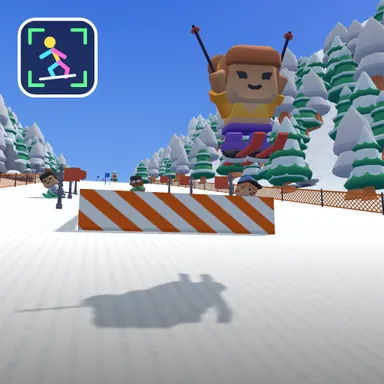
Snowy Peak Slalom is a downhill ski race that you steer with your whole body. Turn on your camera, stand where the outline shows you fit, and your skier copies you: lean or bank your shoulders left and right to carve between the red and blue slalom flags, crouch down low to tuck for extra speed, stand tall to slow down and turn tighter, and jump for real when a snow ramp comes up. Throw both arms in the air while you fly and your skier spins a trick for a speed bonus. At the start, swing both arms down like ski poles to push out of the gate. It even works with only your upper body in the picture, so a small living room is fine. The camera picture stays on your device and is never recorded or sent; only your moves are counted. No camera? Steer with the arrow keys or big touch buttons instead. Watch out for snowy pine trees, rocks and grinning snowmen: bumping one is a quick tumble and you are straight back up, while a missed gate only adds two seconds. A run takes about a minute, the top three stand on the podium, and your results card counts squats, jumps and a playful calorie score. Race three computer skiers alone, or go online with up to four friends through Quick Match, a private room or an invite link.
How to play
Choose Play with my body: lean or bank left and right to steer through the gates, crouch to tuck for speed, stand tall to turn tighter, jump at the ramps and raise both arms in the air for a trick. At the start, swing both arms down to push off. Keys & touch: ← → steer, ↓ tuck, SPACE jump (and push off at the start), ↑ trick. Online: pick Quick Match, Create room or Invite on the game page and press Start in the waiting room.
Controls
| ←→ | Steer |
| ↓ | Duck |
| Space | Jump |
| ↑ | Special move |
📺 Play on a TV or projector
- Laptop or PC: connect it to the TV or projector with an HDMI cable (or cast the Chrome tab / mirror your screen), then press the fullscreen button.
- Android TV, Google TV or a TV box: open this site in a browser app on the TV (any Chromium-based TV browser works) and pick a game with the remote's arrows and OK.
- Gamepad: pair a Bluetooth controller (Xbox, PlayStation or a generic one) or plug in a USB one. Stick or D-pad moves, Ⓐ/✕ jumps and selects, Start pauses, View/Select switches fullscreen. In point-and-click games the right stick moves a pointer and RT clicks.
- Phone or tablet: mirror or cast your screen to the TV, or open the site in the TV's own browser.
Difficulty: ★★☆☆☆ · Released: 2026-10-09