
About Silly Dance Class
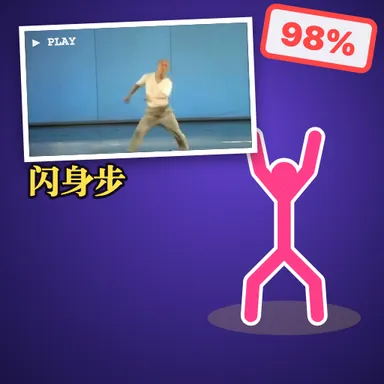
Silly Dance Class is a copy-the-teacher dance game that ends with a funny video of you. Pick a lesson from the grid: each one is a short tape of a very serious dance teacher performing one wonderfully strange move with a formal name. First you watch the teacher once while a deadpan announcer reads the move's name, then the teacher shrinks into a little box in the corner, the camera shows you full screen and the music starts. Copy every step with full commitment. The camera reads your arms, legs and body on your own device and compares them with the teacher frame by frame, so you see a live likeness meter and the occasional cheeky comment while you dance. Copying like a mirror counts too. Straight after the dance your video plays back: you full frame, the teacher in the corner with a yellow retro caption, exactly like the dance tapes people share online. Then you get your likeness score and a title, from Teacher's Chosen One to Every Limb for Itself, plus a still of your most ridiculous moment. Save the video or share it to your favourite video app, add a cartoon face sticker if you prefer not to show your face, try again to beat your best, or challenge a friend to copy the teacher better. Two players can dance in front of one camera and both appear in the video. The recording stays on your device unless you save or share it.
How to play
Put your phone or laptop at waist height 2–3 m away so your whole body is in the picture. Pick a lesson, watch the teacher once (Replay or Skip), then copy the moves when the music starts — the closer you match, the higher your likeness. Raise both hands to start without touching the screen. After the dance: watch your video, then Save, Share, Dance again, Next lesson or Challenge a friend.
Controls
📺 Play on a TV or projector
- Laptop or PC: connect it to the TV or projector with an HDMI cable (or cast the Chrome tab / mirror your screen), then press the fullscreen button.
- Android TV, Google TV or a TV box: open this site in a browser app on the TV (any Chromium-based TV browser works) and pick a game with the remote's arrows and OK.
- Gamepad: pair a Bluetooth controller (Xbox, PlayStation or a generic one) or plug in a USB one. Stick or D-pad moves, Ⓐ/✕ jumps and selects, Start pauses, View/Select switches fullscreen. In point-and-click games the right stick moves a pointer and RT clicks.
- Phone or tablet: mirror or cast your screen to the TV, or open the site in the TV's own browser.
Difficulty: ★☆☆☆☆ · Released: 2026-10-20