
About Pose Wall Splash
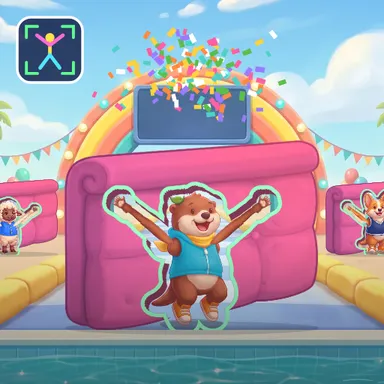
Pose Wall Splash is a sunny splash-park game show where your whole body is the controller. You stand at the end of a runway on the edge of a big pool, and a bright foam wall rolls toward you with a hole cut in the shape of a body. Strike that shape before the wall arrives and you fit right through it: the wall stops with you framed inside the hole, you spin round and cheer, and confetti rains down. Get it wrong and the wall gives you a friendly shove into the pool, where you tumble in with a huge splash and pop up in a rubber ring. Your camera watches your arms, legs and body on your own device and compares the angles of your limbs with the shape, so it works for big and small players alike. While the wall comes closer the rim of the hole glows red, yellow and finally green as you get it right, every limb of your character lights up, and a coach calls out tips like Arm up, Feet apart or Lean right. The show starts easy with the aeroplane and the rocket, then brings stars, robots, superheroes, disco moves, a little teapot, a sumo squat and a wobbly flamingo, getting quicker as it goes, with a golden wall worth double points. Fit walls in a row for a combo, collect up to three stars per wall and beat your best score. Two players on one camera make two-person shapes together, and friends can join an online show. No camera? Pick the right shape card with the arrow keys or a tap.
How to play
Play with your body: stand 2–3 big steps from the camera so your whole body fits, even with your arms up. A wall with a body-shaped hole rolls toward you — copy the shape with your arms, legs and body before it arrives. The hole's rim turns green when you fit; hold it! Keys & touch: pick the card that matches the hole with ← ↑ → ↓, 1–4 or a tap. For online shows choose Quick Match, Create room or Invite on the game page, then press Start in the waiting room.
Controls
| ←↑→↓ | Move |
| 1234 | Select |
📺 Play on a TV or projector
- Laptop or PC: connect it to the TV or projector with an HDMI cable (or cast the Chrome tab / mirror your screen), then press the fullscreen button.
- Android TV, Google TV or a TV box: open this site in a browser app on the TV (any Chromium-based TV browser works) and pick a game with the remote's arrows and OK.
- Gamepad: pair a Bluetooth controller (Xbox, PlayStation or a generic one) or plug in a USB one. Stick or D-pad moves, Ⓐ/✕ jumps and selects, Start pauses, View/Select switches fullscreen. In point-and-click games the right stick moves a pointer and RT clicks.
- Phone or tablet: mirror or cast your screen to the TV, or open the site in the TV's own browser.
Difficulty: ★☆☆☆☆ · Released: 2026-10-13