
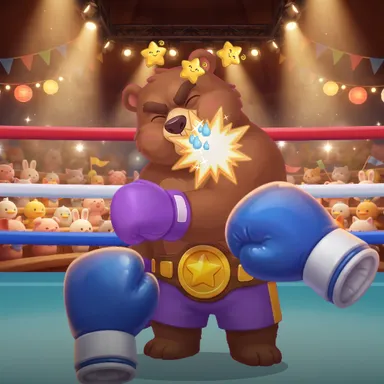
About Critter Knockout Ring
Critter Knockout Ring puts you under the spotlights of a packed storybook arena full of cheering animal fans, and your own fists are the controller. Turn on the camera and raise your hands: you look through your own eyes, your blue gloves at the bottom of the screen, and every punch you throw flies into the ring a split second later. Jab with your lead hand, cross with the other, swing a hook from the side or drive an uppercut up under the chin. Fists by your face block, a lean slips and dropping down ducks. Your rivals warn you before they swing: they wind up and glow, a whoosh sounds, and the screen says whether to block, duck or slip. Get it right and the counter window opens, where every punch hits twice as hard. Climb a ladder of five painted rivals who each fight their own way: Rocky Rookie, an eager goat kid with slow wind-ups; Dummy Dan, a stubborn tortoise in a crash-test helmet who hides behind his gloves; Shadow Kiko, a slippery red panda ninja; Robo Bolt, a tin robot with a repeating rhythm; and Big Bruno, the bear champion with huge haymakers. Fights last three short rounds; empty the health bar and your rival sits down with dizzy stars, and three knock-downs win by K.O. Otherwise the judges decide. Two kids can share one camera on a split screen, blue corner against red, or fight a friend online. Only the punches are counted: the picture stays on your device. No camera? Box with the keyboard, touch buttons or a gamepad.
How to play
Choose Play with my body: stand where the camera sees your head, shoulders and both hands, raise your fists and punch toward the screen. Lead hand straight = jab, other hand straight = cross, a sweep from the side = hook, a punch driving upward = uppercut. Fists by your face block, a lean slips, dropping down ducks. When your rival's glove glows, do what the screen says, then counter. Keys: J jab, K cross, U and I hooks, N uppercut, hold S to block, A and D to slip, X to duck. Online: Quick Match, Create room or Invite on the game page.
Controls
| JK | Punch |
| UIN | Special move |
| S | Block |
| AD | Lean / balance |
| X | Duck |
📺 Play on a TV or projector
- Laptop or PC: connect it to the TV or projector with an HDMI cable (or cast the Chrome tab / mirror your screen), then press the fullscreen button.
- Android TV, Google TV or a TV box: open this site in a browser app on the TV (any Chromium-based TV browser works) and pick a game with the remote's arrows and OK.
- Gamepad: pair a Bluetooth controller (Xbox, PlayStation or a generic one) or plug in a USB one. Stick or D-pad moves, Ⓐ/✕ jumps and selects, Start pauses, View/Select switches fullscreen. In point-and-click games the right stick moves a pointer and RT clicks.
- Phone or tablet: mirror or cast your screen to the TV, or open the site in the TV's own browser.
Difficulty: ★★☆☆☆ · Released: 2026-10-10