
About Super Keeper Cup
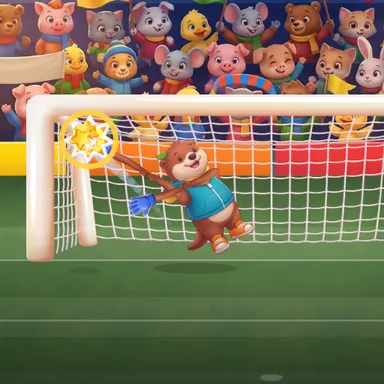
Super Keeper Cup puts you between the posts of a floodlit stadium, and your own body is the goalkeeper. Turn on the camera and stand back: when you step to the side, your keeper slides across the goal; when you stretch an arm out, a big padded glove reaches for the corner; reach up high and your keeper leaps for the crossbar, crouch down and the gloves sweep the grass. You never have to dive on the floor yourself, because your keeper does the flying full-stretch saves for you. Each match is a penalty shoot-out: watch the striker's run-up to guess the side, then read the ball as it flies in slow motion over the last metres. Catch it, punch it clear or tip it over the bar, and the crowd roars while the best saves play again in a slow replay. Then it is your turn to shoot: lean left or right to aim, swing your leg like a real kick, and try to beat the other keeper. Fight your way from the group stage through the quarter-final and semi-final to the Final against sharper strikers every round. Two players can share one camera and take turns in goal, or play a friend online. The picture never leaves your device. No camera? Keys, touch and a gamepad work too.
How to play
Choose Play with my body and stand where the camera sees you from head to feet. Step left or right to move your keeper, stretch your arms to reach the corners, reach up or jump for high balls, crouch for low ones. Never dive on the floor: your keeper dives for you. When it is your kick, lean to move the target and swing your leg to shoot. Keys: arrows dive (hold up or down with left or right for a high or low corner), up jumps, down goes low; for a kick, arrows aim and holding Space charges the shot. Online: Quick Match, Create room or Invite on the game page.
Controls
| ←→ | Lean / balance |
| ↑ | Jump |
| ↓ | Duck |
| Space | Shoot |
📺 Play on a TV or projector
- Laptop or PC: connect it to the TV or projector with an HDMI cable (or cast the Chrome tab / mirror your screen), then press the fullscreen button.
- Android TV, Google TV or a TV box: open this site in a browser app on the TV (any Chromium-based TV browser works) and pick a game with the remote's arrows and OK.
- Gamepad: pair a Bluetooth controller (Xbox, PlayStation or a generic one) or plug in a USB one. Stick or D-pad moves, Ⓐ/✕ jumps and selects, Start pauses, View/Select switches fullscreen. In point-and-click games the right stick moves a pointer and RT clicks.
- Phone or tablet: mirror or cast your screen to the TV, or open the site in the TV's own browser.
Difficulty: ★★☆☆☆ · Released: 2026-10-13