
About Handcar Hill Race
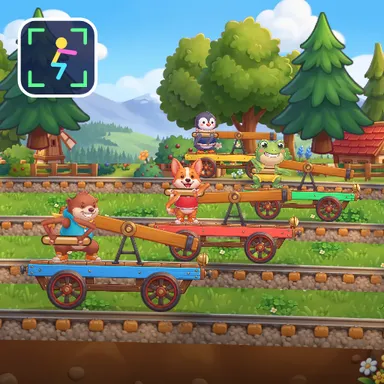
Handcar Hill Race turns squats into a railway race through a sunny mountain valley. Four little handcars wait at the station, each with a blocky pumper standing on the platform holding the lever. With your camera on, every squat you do pushes the lever down and back up again, and your pumper copies you exactly: knees bending, hips sinking, arms on the handle. The deeper and steadier you squat, the faster your handcar rolls, so a few slow deep squats beat lots of tiny bobs. The game reads your knees and hips on your own device, nothing is recorded or uploaded, and it counts only real squats. A half squat is shown but not counted, and the game cheers you on with tips like Lower, Knees out and Chest up when your form slips. The track climbs green hills where you pump hard, rolls down slopes where you can rest a moment, crosses a wooden bridge over a river and dives through a tunnel. Jump straight out of a squat for a hop boost. Two players on one camera can share a team handcar and squat in sync for extra speed, or race each other on a split screen. No camera? Pump with the arrow keys, the space bar or a big touch button. Race the computer, chase the ghost of your best run, or invite friends online.
How to play
Play with your body: stand in front of the camera so your whole body fits, then squat down and stand up again. Every squat pumps your handcar; deeper and steadier squats go faster. Jump out of a squat for a hop boost, rest a moment on the downhills. Keys & touch: press ↓ then ↑ (or tap SPACE / PUMP) to pump. For online races choose Quick Match, Create room or Invite on the game page, then press Start in the waiting room.
Controls
| ↓↑ | Accelerate |
| Space | Accelerate |
| J | Jump |
📺 Play on a TV or projector
- Laptop or PC: connect it to the TV or projector with an HDMI cable (or cast the Chrome tab / mirror your screen), then press the fullscreen button.
- Android TV, Google TV or a TV box: open this site in a browser app on the TV (any Chromium-based TV browser works) and pick a game with the remote's arrows and OK.
- Gamepad: pair a Bluetooth controller (Xbox, PlayStation or a generic one) or plug in a USB one. Stick or D-pad moves, Ⓐ/✕ jumps and selects, Start pauses, View/Select switches fullscreen. In point-and-click games the right stick moves a pointer and RT clicks.
- Phone or tablet: mirror or cast your screen to the TV, or open the site in the TV's own browser.
Difficulty: ★★☆☆☆ · Released: 2026-10-10