
About Save Storm
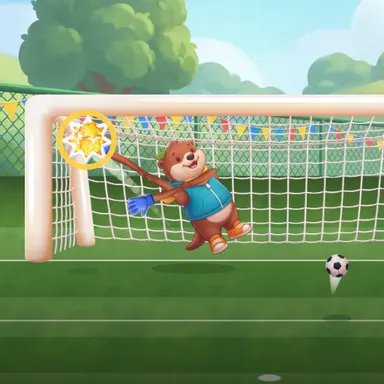
Save Storm is ninety seconds of non-stop goalkeeping on a sunny training ground, played with your whole body. The camera turns you into the keeper: step and lean to cross the goal, throw an arm out to reach a corner, jump for the high ones and crouch for the low ones, while your keeper does the diving for you. The academy's strikers never stop. First come simple penalties, then low drives from the edge of the box, soft chips that drop under the bar, free kicks that curl over a jumping wall of defenders, crosses from the wing that you have to punch away, and finally the chaos of two strikers shooting at the same time, so you need both hands. Every save scores points and builds a combo multiplier up to three times, golden balls are worth triple, and a goal breaks the combo. A slow-motion moment as each ball reaches you gives you just enough time to read it. Beat your best score, earn three stars, climb the weekly board of top savers, and send a challenge link to a friend. Only the moves are counted and the picture stays on your device. No camera? Play with keys, touch or a gamepad.
How to play
Choose Play with my body and stand where the camera sees you from head to feet. Step and lean to move your keeper, stretch your arms to the corners, reach up or jump for high balls, crouch for low ones, and punch crosses away. When two balls come at once, use both hands. Never dive on the floor: your keeper dives for you. Keys: arrows dive (hold up or down with left or right for a high or low corner), up jumps, down goes low. Touch: tap the goal where you want to dive.
Controls
| ←→ | Lean / balance |
| ↑ | Jump |
| ↓ | Duck |
| Space | Shoot |
📺 Play on a TV or projector
- Laptop or PC: connect it to the TV or projector with an HDMI cable (or cast the Chrome tab / mirror your screen), then press the fullscreen button.
- Android TV, Google TV or a TV box: open this site in a browser app on the TV (any Chromium-based TV browser works) and pick a game with the remote's arrows and OK.
- Gamepad: pair a Bluetooth controller (Xbox, PlayStation or a generic one) or plug in a USB one. Stick or D-pad moves, Ⓐ/✕ jumps and selects, Start pauses, View/Select switches fullscreen. In point-and-click games the right stick moves a pointer and RT clicks.
- Phone or tablet: mirror or cast your screen to the TV, or open the site in the TV's own browser.
Difficulty: ★★☆☆☆ · Released: 2026-10-13