
About 10-Min Beginner Fat Burn Follow-Along
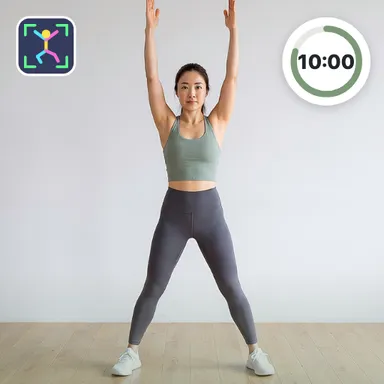
10-Min Beginner Fat Burn Follow-Along is a calm home workout class where a friendly coach moves with you in a bright studio and the camera turns it into a real motion game. Nine easy standing moves play twice through: squats, a sumo squat with an arm raise, a high knee march, a knee lift with a toe tap, a standing side crunch, side leg lifts on both sides, a curtsy lunge, a knee-up clap and a squat with a knee lift. Each move lasts about twenty seconds with a short rest, and nothing involves jumping, so it is kind to knees and great for beginners or anyone getting back into exercise. In every rest the coach steps back to a relaxed stance while her voice tells you what comes next, then she slides into the start position during three, two, one so you can copy her from the very first rep. A big timer, the move name and gentle form cues keep you on track, and the music softens whenever she speaks. With the camera on, the game counts your squats and knee lifts, shows you in the corner with a skeleton overlay and waits if you step out of the picture. Without a camera you simply follow along with the timer and the voice. Your minutes, reps and estimated calories go to your Wiggle Move stats, and the weekly board and friend challenges compare how many reps you managed.
How to play
Camera: stand the device at about hip height 2–3 m away so your whole body is in the picture, then copy the coach — your squats and knee lifts are counted and you appear in the corner. Rests: listen for the next move; raise both hands for 2 s to skip a rest. Keys or touch: just follow along; → or the skip button skips, Esc or P pauses. A TV remote or a gamepad works too.
Controls
📺 Play on a TV or projector
- Laptop or PC: connect it to the TV or projector with an HDMI cable (or cast the Chrome tab / mirror your screen), then press the fullscreen button.
- Android TV, Google TV or a TV box: open this site in a browser app on the TV (any Chromium-based TV browser works) and pick a game with the remote's arrows and OK.
- Gamepad: pair a Bluetooth controller (Xbox, PlayStation or a generic one) or plug in a USB one. Stick or D-pad moves, Ⓐ/✕ jumps and selects, Start pauses, View/Select switches fullscreen. In point-and-click games the right stick moves a pointer and RT clicks.
- Phone or tablet: mirror or cast your screen to the TV, or open the site in the TV's own browser.
Difficulty: ★☆☆☆☆ · Released: 2026-10-13