
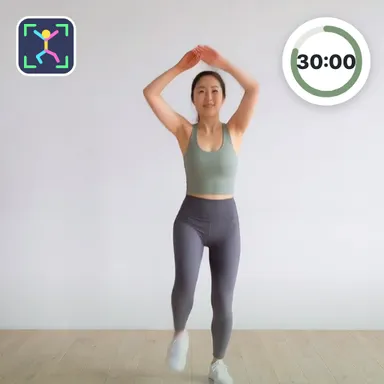
About 30-Min Standing Fat Burn
30-Min Standing Fat Burn is the full workout of the series: every one of the coach's twenty-three standing moves in a single half-hour session shaped like a hill. The first ten minutes stay gentle with marching knees, toe taps, side crunches, cross knee lifts, squats and slow side leg lifts. The middle climbs to the peak with squat punches, reverse lunge kicks, a squat that ends in an overhead reach, quick shuttlecock kick steps, squat side kicks, lunges into a high knee, under-leg claps and wide side lunges. The final part brings your heart rate back down with knee-up claps, cross crunches, a knee drive with an arm pull and a few familiar easy moves before a calm breathing cool-down. Every block is forty-five seconds of work and fifteen seconds of rest, and one-sided moves are done on the left and then the right. The coach shows each movement in her bright studio, talks you through the rest and counts you in so you start in time. With a camera the game counts your squats and knee lifts, puts you in the corner with a skeleton overlay and pauses if you walk away; without one, follow the timer and the voice. Your minutes, reps and estimated calories are saved to Wiggle Move, and the weekly board shows who kept moving the most.
How to play
Camera: stand the device at hip height 2–3 m away so your whole body is in the picture and follow the coach; squats and knee lifts are counted and you show up in the corner. Work 45 s, rest 15 s; in a rest raise both hands for 2 s to skip it. Keys or touch: follow the timer; → or the skip button skips, Esc or P pauses. TV remotes and gamepads work too.
Controls
📺 Play on a TV or projector
- Laptop or PC: connect it to the TV or projector with an HDMI cable (or cast the Chrome tab / mirror your screen), then press the fullscreen button.
- Android TV, Google TV or a TV box: open this site in a browser app on the TV (any Chromium-based TV browser works) and pick a game with the remote's arrows and OK.
- Gamepad: pair a Bluetooth controller (Xbox, PlayStation or a generic one) or plug in a USB one. Stick or D-pad moves, Ⓐ/✕ jumps and selects, Start pauses, View/Select switches fullscreen. In point-and-click games the right stick moves a pointer and RT clicks.
- Phone or tablet: mirror or cast your screen to the TV, or open the site in the TV's own browser.
Difficulty: ★★★☆☆ · Released: 2026-10-14