
About Fruit Beat Beach
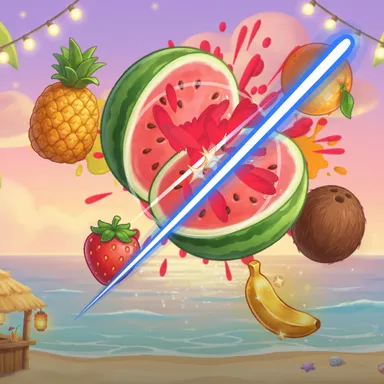
Fruit Beat Beach is a dusk party on the sand where the music throws the fruit. Palm trees sway against a pink and purple sky, party lights hang over the waves and tiki torches glow, and every beat of the song tosses up a watermelon, a pineapple, a coconut or a lemon so that it reaches the very top of its flight exactly on the beat. Swing your hand through it right then and you get ON BEAT and extra points. The song builds as it goes: first one fruit for the left hand and one for the right, then a fruit on every beat, then both hands at once, then crossovers where the left fruit wants your right hand. A golden banana now and then is worth a pile of points, and the party ends with the Mega Melon floating over the beach for you to chop as fast as your arms can go. There are no bombs on the beach, just ninety seconds of non-stop swinging that gets your arms and shoulders working and your heart going. The fruit is the same for everyone who plays this page, so the weekly board is a fair race. Play with the camera, which only follows your hands and keeps the picture on your device, or with a mouse, a finger, keys or a gamepad. Your Wiggle Look dances along in the corner.
How to play
Choose Play with my body and stand where the camera sees your head, shoulders and both hands. Watch the fruit fly up and swing your hand through it when it reaches the top — that is the beat. Fruit on the left is for your left hand, fruit on the right for your right hand. Chop the Mega Melon again and again at the end. Mouse or finger: drag to slice. Keys: WASD and the arrows steer two blades.
Controls
| Drag | Swipe |
| W A S D | Move |
| Arrow keys | Move |
📺 Play on a TV or projector
- Laptop or PC: connect it to the TV or projector with an HDMI cable (or cast the Chrome tab / mirror your screen), then press the fullscreen button.
- Android TV, Google TV or a TV box: open this site in a browser app on the TV (any Chromium-based TV browser works) and pick a game with the remote's arrows and OK.
- Gamepad: pair a Bluetooth controller (Xbox, PlayStation or a generic one) or plug in a USB one. Stick or D-pad moves, Ⓐ/✕ jumps and selects, Start pauses, View/Select switches fullscreen. In point-and-click games the right stick moves a pointer and RT clicks.
- Phone or tablet: mirror or cast your screen to the TV, or open the site in the TV's own browser.
Difficulty: ★☆☆☆☆ · Released: 2026-10-13