
About Beat Push-Up Party
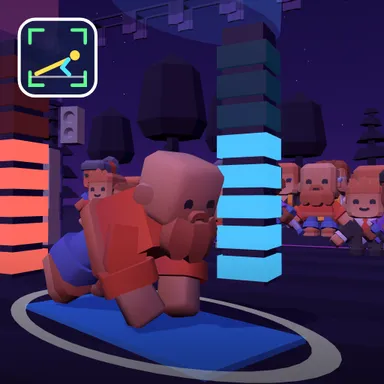
Beat Push-Up Party turns push-ups into a rhythm game on a glowing night stage. A steady beat plays, the notes scroll toward a ring above your athlete, and the move is simple: go down on one beat and push back up on the next. Land right on the beat for a Perfect and two points, a little off for a Good and one point; stay on the beat to build a combo and watch your light tower climb higher while the crowd claps along. The beat is gentle, about one push-up every two seconds, so this game rewards control rather than speed: a slow, full push-up scores better than a rushed one, and a dip that does not go all the way down earns a Lower! instead of points. Up to four athletes perform side by side, each with a big score bubble, and the best score after one song wins. Play with your real body by putting the camera on the floor about two metres to your side; your blocky athlete copies your elbows on screen, and the camera picture never leaves your device. Knee push-ups score on their own board. Without a camera, hold the space bar or the PUSH button on the down beat and let go on the up beat. Play against computer dancers, with a friend on one camera, or online with Quick Match, a private room or an invite link.
How to play
Watch the notes: when a ↓ note reaches the ring, lower your chest until your elbows bend; when the ↑ note arrives, push all the way up. Camera: device on the floor about 2 m to your side (or in front of your head), whole body in the picture. Keys or touch: hold SPACE, ↓ or PUSH on the down beat and let go on the up beat. Perfect = 2 points, Good = 1, keep the combo going. Online: Quick Match, Create room or Invite on the game page.
Controls
| Space | Hold |
📺 Play on a TV or projector
- Laptop or PC: connect it to the TV or projector with an HDMI cable (or cast the Chrome tab / mirror your screen), then press the fullscreen button.
- Android TV, Google TV or a TV box: open this site in a browser app on the TV (any Chromium-based TV browser works) and pick a game with the remote's arrows and OK.
- Gamepad: pair a Bluetooth controller (Xbox, PlayStation or a generic one) or plug in a USB one. Stick or D-pad moves, Ⓐ/✕ jumps and selects, Start pauses, View/Select switches fullscreen. In point-and-click games the right stick moves a pointer and RT clicks.
- Phone or tablet: mirror or cast your screen to the TV, or open the site in the TV's own browser.
Difficulty: ★★☆☆☆ · Released: 2026-10-10