
About Mine Cart Escape
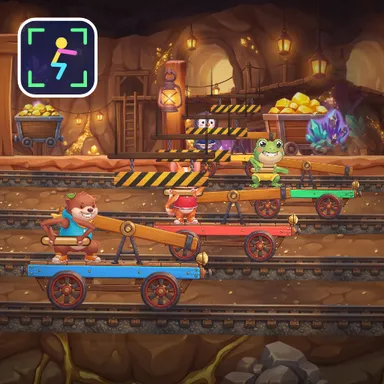
Mine Cart Escape is a squat race out of a glowing gold mine. You ride a little ore cart with a pump lever on top, and a big friendly boulder rumbles along behind the pack, so pump hard and head for the daylight at the exit. Every real squat you do in front of the camera pushes the lever, and the blocky miner on your cart squats exactly as deep as you do. But this tunnel has tricks. Low wooden beams with yellow and black stripes cross the track: squat down and hold it until you are under the beam, or your cart bonks and wobbles to a stop for a second. Broken rails open dark gaps in the floor: jump straight out of a squat and your cart hops over them. Big signs warn you in time for each beam and gap, and the timing allows for the camera delay. Lanterns, sparkling crystals and old wagons line the walls, and the computer carts take it easy so younger kids can win. Your camera picture stays on your device and only your knees and hips are counted, half squats included as a gentle reminder to go lower. Play alone, as a team cart with a friend in front of the same camera, or online with up to four players.
How to play
Play with your body: whole body in the picture, then squat to pump your cart. Before a striped beam, squat down and HOLD it until you pass under. Before a broken rail, jump straight out of a squat to hop over it. Keys & touch: ↓ / ↑ or SPACE to pump, hold ↓ under beams, J to jump (touch: PUMP and JUMP). For online races choose Quick Match, Create room or Invite on the game page, then press Start in the waiting room.
Controls
| ↓↑ | Accelerate |
| Space | Accelerate |
| J | Jump |
📺 Play on a TV or projector
- Laptop or PC: connect it to the TV or projector with an HDMI cable (or cast the Chrome tab / mirror your screen), then press the fullscreen button.
- Android TV, Google TV or a TV box: open this site in a browser app on the TV (any Chromium-based TV browser works) and pick a game with the remote's arrows and OK.
- Gamepad: pair a Bluetooth controller (Xbox, PlayStation or a generic one) or plug in a USB one. Stick or D-pad moves, Ⓐ/✕ jumps and selects, Start pauses, View/Select switches fullscreen. In point-and-click games the right stick moves a pointer and RT clicks.
- Phone or tablet: mirror or cast your screen to the TV, or open the site in the TV's own browser.
Difficulty: ★★☆☆☆ · Released: 2026-10-10