
About Copy Cat Disco
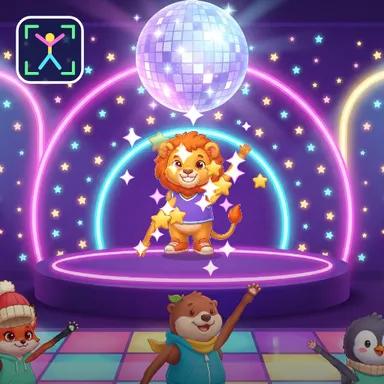
Copy Cat Disco is a memory dance game on a glowing disco stage. The Copy Cat, a groovy dancer on a podium under a spinning mirror ball, strikes a pose on the beat of the music, and then it is your turn to strike the very same pose with your whole body. Each round the Copy Cat adds one more move to the dance, so you have to remember the whole sequence: first one pose, then two, then three, all the way up to five. Watch carefully, then copy the dance on the beat, one pose every four beats. Your camera reads your arms, legs and body on your own device and compares the angles of your limbs with each pose, and because you face the dancer you can copy it like a mirror, the way kids naturally do. The LED floor bursts with colour under your feet for every pose you get right, you hear Perfect, Great or Good, and every move you hit keeps your combo going for more points. The poses are easy to read from across the room: aeroplane arms, a rocket, a star jump, a big Y, a strongman, a robot, a superhero, a crown and a disco point. Dance against two friendly computer dancers, play together with a friend on one camera, or join an online party where everyone copies the same Copy Cat. No camera? Pick the pose cards with the arrow keys or a tap.
How to play
Play with your body: stand 2–3 big steps from the camera so your whole body fits. WATCH the Copy Cat's poses, then on YOUR TURN strike the same poses on the beat, in the same order — copying like a mirror is fine. Each round adds one more pose. Keys & touch: pick the pose cards with ← ↑ → ↓, 1–4 or a tap. For online parties choose Quick Match, Create room or Invite on the game page, then press Start.
Controls
| ←↑→↓ | Move |
| 1234 | Select |
📺 Play on a TV or projector
- Laptop or PC: connect it to the TV or projector with an HDMI cable (or cast the Chrome tab / mirror your screen), then press the fullscreen button.
- Android TV, Google TV or a TV box: open this site in a browser app on the TV (any Chromium-based TV browser works) and pick a game with the remote's arrows and OK.
- Gamepad: pair a Bluetooth controller (Xbox, PlayStation or a generic one) or plug in a USB one. Stick or D-pad moves, Ⓐ/✕ jumps and selects, Start pauses, View/Select switches fullscreen. In point-and-click games the right stick moves a pointer and RT clicks.
- Phone or tablet: mirror or cast your screen to the TV, or open the site in the TV's own browser.
Difficulty: ★★☆☆☆ · Released: 2026-10-13