
About Candy Cane Ski Race
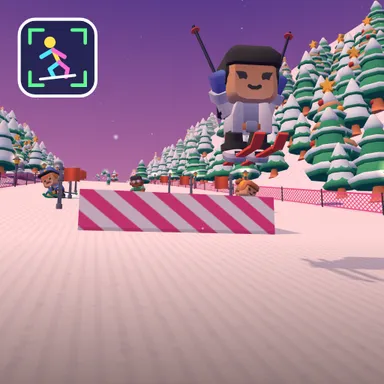
Candy Cane Ski Race sends you down a pink sunset mountain where the slalom gates are giant striped candy canes and glowing lanterns light the way to the finish. It is the gentle, jump-happy run of the ski family: the gates are extra wide, a missed one costs just a second, the computer skiers take it easy, and there are more snow ramps than on any other slope, so you spend lots of time flying. With your camera on, the game reads your skeleton on your own device and nothing is recorded or uploaded. Lean your body left or right to carve, crouch low to zoom through the bumpy mogul fields without slowing down, jump when you reach a ramp, and put both arms straight up in the air to spin a trick. At the start line, swing your arms down like ski poles to push off fast. Only the top half of you needs to fit in the picture, so it works on a sofa-sized space too. Playing with keys or a phone screen works just as well, and online rooms mix both kinds of players on the same slope. Slide past gift boxes, snowmen and a reindeer, then climb the podium while confetti falls. Every run ends with a card that counts your squats, jumps and tricks. Play solo against three easygoing skiers or invite up to three friends.
How to play
Play with my body: lean left or right to carve through the candy-cane gates, crouch through the moguls and on the straights, jump at every ramp and raise both arms for a spinning trick; swing your arms down at the start to push off. Keys & touch: ← → steer, ↓ tuck, SPACE jump, ↑ trick. For online races choose Quick Match, Create room or Invite on the game page, then press Start in the waiting room.
Controls
| ←→ | Steer |
| ↓ | Duck |
| Space | Jump |
| ↑ | Special move |
📺 Play on a TV or projector
- Laptop or PC: connect it to the TV or projector with an HDMI cable (or cast the Chrome tab / mirror your screen), then press the fullscreen button.
- Android TV, Google TV or a TV box: open this site in a browser app on the TV (any Chromium-based TV browser works) and pick a game with the remote's arrows and OK.
- Gamepad: pair a Bluetooth controller (Xbox, PlayStation or a generic one) or plug in a USB one. Stick or D-pad moves, Ⓐ/✕ jumps and selects, Start pauses, View/Select switches fullscreen. In point-and-click games the right stick moves a pointer and RT clicks.
- Phone or tablet: mirror or cast your screen to the TV, or open the site in the TV's own browser.
Difficulty: ★☆☆☆☆ · Released: 2026-10-09